



Direct to film printing: a complete guide for UK print shops
TL;DR:
- Direct to film (DTF) printing enables vibrant, full-colour designs on diverse fabrics without screens or minimum orders. It uses a white underlayer and special adhesives to produce durable transfers suitable for small batches, personalisation, and dark fabrics. The technology’s success depends on consistent workflow, colour management, equipment maintenance, and understanding its strategic advantages over traditional methods.
Screen printing has long been the go-to method for vibrant, opaque results on dark apparel, but that assumption is rapidly being overturned. Direct to film (DTF) printing now allows print shops and business owners across the UK and Ireland to produce bold, full-colour designs on virtually any textile, without screens, without minimum order quantities, and without the lengthy setup times. This guide walks through everything you need to know about DTF technology: how it works, how it compares to alternatives, how to control colour quality, and how to decide whether it belongs in your production line.
Table of Contents
- What is direct to film (DTF) printing?
- The DTF printing workflow: step-by-step process
- Direct to film printing vs other apparel methods
- Colour accuracy and quality control in DTF printing
- Who benefits most from DTF printing? Practical use cases and tips
- What most UK print businesses overlook about DTF printing
- Take your next step with DTF and sublimation supplies
- Frequently asked questions
Key Takeaways
| Point | Details |
|---|---|
| DTF enables full-colour prints | Direct to film printing delivers opaque, vibrant designs even on dark fabrics. |
| Workflow precision matters | Quality results depend on steps like cold peeling and proper process control. |
| Ideal for custom, small runs | DTF suits businesses seeking low-minimum, on-demand printing for apparel and merch. |
| Colour accuracy needs attention | Monitor calibration and understanding ink limitations help you avoid surprises with colour shifts. |
| Not a screen-print replacement | DTF adds profitable options to your print shop but does not replace every traditional method. |
What is direct to film (DTF) printing?
DTF stands for direct to film printing, a digital print-and-transfer method that produces full-colour, photo-quality designs on fabric and other substrates. Rather than printing directly onto the garment, you print onto a specialist PET (polyethylene terephthalate) film, apply a hot-melt powder adhesive, cure the powder with heat, and then press the finished transfer onto the final product using a heat press. The film peels away after pressing, leaving a smooth, durable graphic behind.
The key technical detail that sets DTF apart from other digital methods is the white ink underlayer. DTF printing uses an inkjet-style process with white ink as an underlayer so it can produce opaque, full-colour results especially on dark fabrics. This underlayer is essential: without it, colours printed on black or navy fabric would simply disappear into the background. The printer lays down CMYK colours on top of that white base, creating the same vivid effect you would expect from a light-coloured garment.
If you are already familiar with DTF printing basics, you will recognise how this sets DTF apart from direct-to-garment (DTG) printing, which requires pre-treatment on dark fabrics and works best on 100% cotton. DTF, by contrast, adheres to almost any substrate, including polyester blends, nylon, leather, and canvas.
Key benefits of DTF for print businesses:
- No minimum order quantities, making it perfect for on-demand fulfilment
- Works on virtually any fabric colour, including black
- No fabric pre-treatment required
- Prints can be prepared in advance and applied later with a heat press
- Suitable for polyester, cotton, blends, and non-fabric substrates
- Faster setup than screen printing for short or one-off runs
Pro Tip: DTF transfers can be batch-produced and stored flat in a cool, dry environment for weeks before pressing. This gives your shop the flexibility to print during quiet periods and fulfil orders on demand without delay.
The DTF printing workflow: step-by-step process
Now that you know what DTF is, let’s walk through how the workflow fits together in a practical setting. Understanding each stage helps you identify where quality issues can arise and how to prevent them before they cost you time or materials.
-
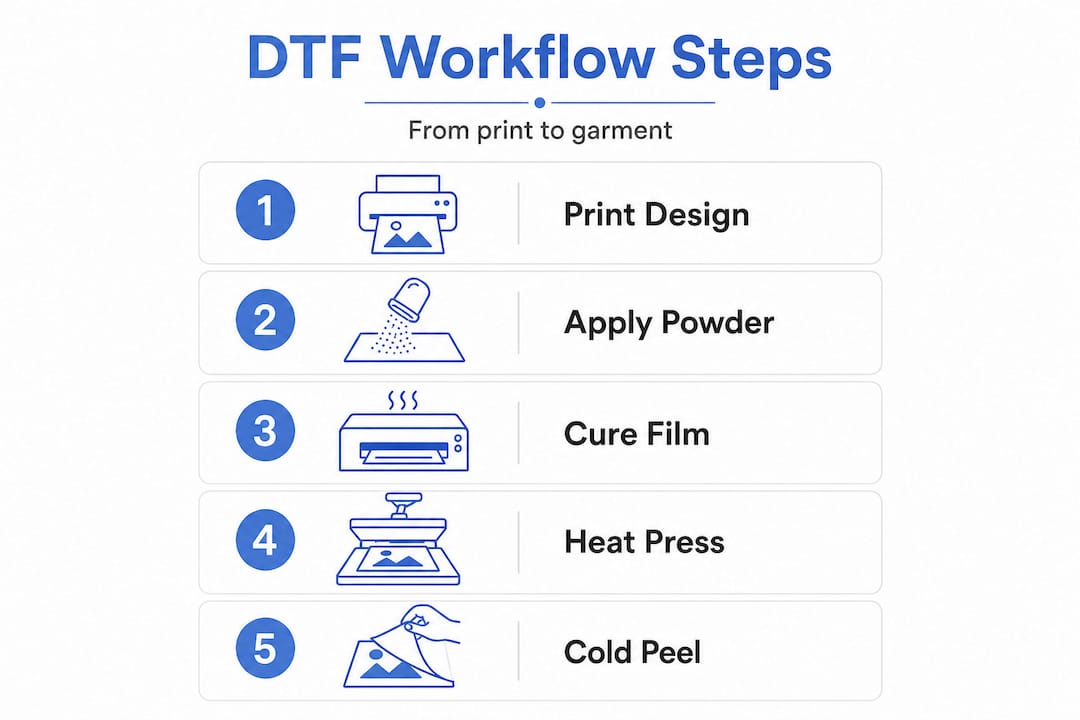
Create your artwork. Prepare your design at a minimum of 300 DPI in a format compatible with your RIP (raster image processing) software. Ensure transparent backgrounds are clean and any fine detail is crisp, as DTF will reproduce what you give it faithfully.
-
Send to the DTF printer. Your RIP software manages ink channels, white ink layer placement, and colour profiles. The printer outputs the design onto the PET film, typically printing the CMYK colours first, followed by the white ink underlayer on top.
-
Apply the hot-melt adhesive powder. While the ink is still wet, pour the adhesive powder over the printed surface and shake off any excess. Even coverage here is critical: sparse powder leads to poor adhesion, while over-application creates a thick, stiff feel on the final garment.
-
Cure the powder. Pass the coated film through a curing oven or use a heat press at a slight hover (without pressure) to melt the powder into a solid, even adhesive layer. A correctly cured transfer will appear glossy and smooth.
-
Press onto the garment. Place the transfer film face-down on the garment, apply the correct heat, time, and pressure settings for your heat press, and allow the transfer to bond.
-
Cold peel. This is the step that catches many beginners out. Cold-peel practices require allowing the transfer to cool before peeling, which helps achieve quality results. Peeling while still hot can pull ink away from the substrate, causing patchy or incomplete graphics. Allow the transfer to cool to room temperature before peeling for consistent results.
Building a reliable, efficient print workflow around these steps will drastically reduce your rejection rates. You should also ensure you are sourcing the right materials, as the essential DTF supplies you choose directly affect adhesion, colour vibrancy, and wash durability.
Pro Tip: Run a small test batch of five to ten transfers whenever you introduce a new garment type, ink batch, or adhesive powder. Even minor changes in material composition can shift the optimal press temperature or peel timing, and a small test costs far less than reprinting a full client order.
Direct to film printing vs other apparel methods
Next, let’s see how DTF stacks up against more traditional and popular apparel printing approaches. Each method has its strengths, and knowing where DTF excels helps you make smarter decisions for your business.
| Feature | DTF printing | Screen printing | DTG printing |
|---|---|---|---|
| Setup cost | Low | High (screens, emulsion) | Medium |
| Minimum order | No minimum | Usually 20+ units | No minimum |
| Colour range | Full colour, photographic | Limited by screen count | Full colour |
| Dark fabric suitability | Excellent | Excellent | Requires pre-treatment |
| Fabric versatility | Very high | Medium | Low (best on cotton) |
| Durability | High | Very high | Medium to high |
| Turnaround speed | Fast | Slow (setup intensive) | Fast |
| Cost per unit (low volume) | Low | High | Medium |
“DTF printing uses an inkjet-style process with white ink as an underlayer so it can produce opaque, full-colour results especially on dark fabrics, making it a strong contender for businesses needing flexibility across diverse substrates.” DTF printing: a complete guide to direct to film tech
Screen printing remains unbeatable for very large runs with simple designs. The cost per unit drops dramatically at scale, and the ink sits on top of the fabric in a way that can feel more tactile and long-lasting under heavy use conditions. However, when you factor in the cost of burning screens, mixing custom inks, and committing to a fixed design, screen printing becomes impractical for anything under about 20 to 30 units. Understanding the broader debate around screen vs digital printing helps clarify when each method genuinely justifies its costs.
DTG printing occupies a middle ground but carries some important limitations. It requires fabric pre-treatment on dark garments, which adds time and materials. It also works best on 100% cotton, which means a polyester blend or mixed-fibre garment is immediately problematic. DTF sidesteps both issues entirely.
For most print shops in the UK and Ireland handling custom orders, personalised merchandise, or small-batch seasonal runs, the DTF technology benefits are compelling. DTF’s flexibility also complements sublimation printing advantages well, since sublimation excels on white polyester whilst DTF handles everything else.
When DTF printing is the right choice:
- Short runs, one-off orders, or personalised items
- Dark or non-cotton fabrics where DTG would struggle
- Designs requiring photographic detail or many colour gradients
- Businesses wanting to produce transfers in advance for later pressing
Colour accuracy and quality control in DTF printing
While DTF is flexible, aiming for consistent, vibrant colours introduces unique challenges. This is an area where many print businesses underestimate the work involved, and where investment in process control pays dividends.
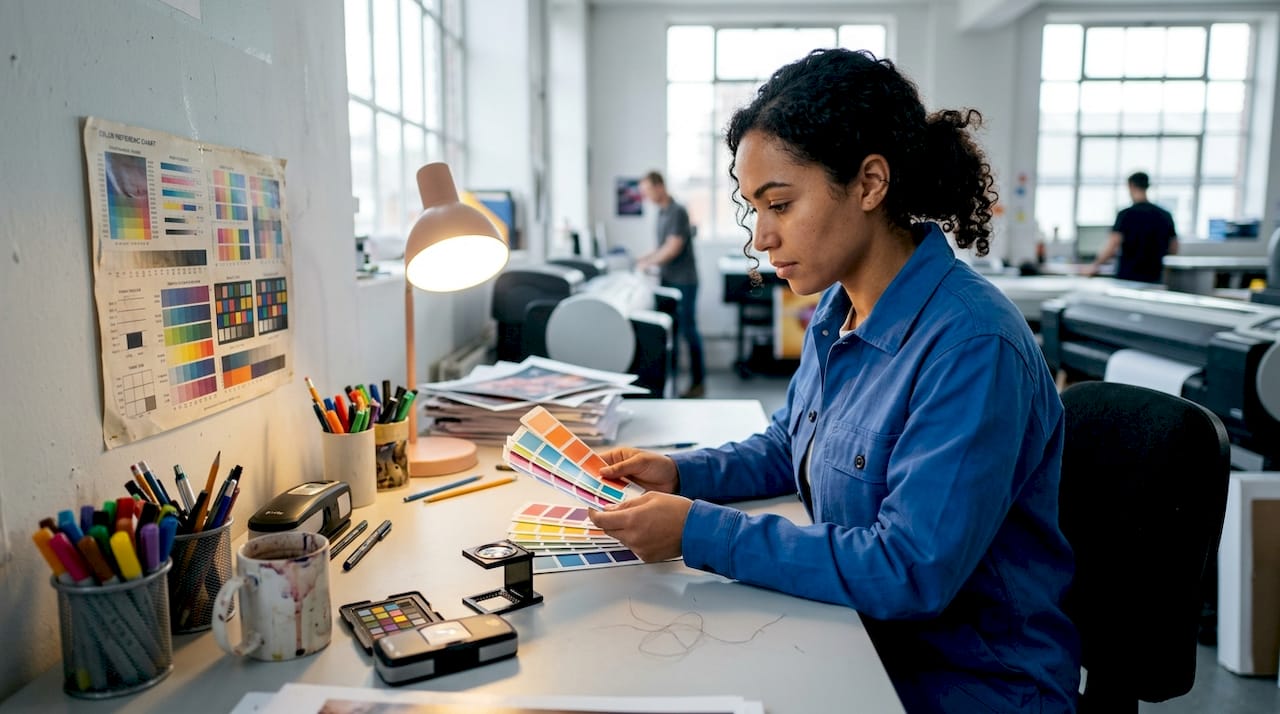
DTF colour matching is affected by more than file correctness; colour shifts can come from factors like screen and monitor behaviour (how colours appear on light-emitting screens) and DTF limitations such as ink gamut and white ink usage. In plain terms, what your customer sees on their laptop screen and what comes off your heat press are rarely identical without careful calibration.
| Colour challenge | Cause | Practical remedy |
|---|---|---|
| Colours appear duller than expected | Monitor brightness vs print gamut | Use a calibrated monitor; apply ICC profiles |
| White areas look cream on press | White ink oxidation or curing issues | Check white ink channels; adjust curing temperature |
| Fine lines bleed or disappear | Resolution too low | Require 300 DPI minimum from clients |
| Colour shifts between print batches | Ink variation or head clogging | Print nozzle check patterns daily |
| Garment darkens the design | Insufficient white underlayer | Adjust white ink density in RIP software |
Several practical habits can keep your colour output consistent day to day. Calibrate your monitor using a hardware colorimeter at least monthly. Print test patches on new film rolls to check for consistency before committing to a production run. Work with your RIP software’s colour management tools to build ICC profiles specific to your ink and film combination. These steps are an investment of an hour each week but they save you far more in reprints and client disputes.
Properly managing client expectations is also part of quality control. When a customer sends a design built in RGB for social media, explain upfront that your DTF printer works in CMYK and that certain bright blues, vivid greens, and neon shades may shift. Most customers appreciate honesty before a job is printed rather than confusion after. Understanding optimising DTF return means factoring colour management into your workflow costs from day one.
Routine equipment maintenance is equally critical here. A clogged print head will produce inconsistent colour before you even get to the transfer stage. Ensuring print durability starts with clean, well-maintained equipment, not just good technique at the heat press.
Who benefits most from DTF printing? Practical use cases and tips
With colour challenges in mind, let’s look at which business situations benefit most from DTF and how to get the best results in practice.
DTF printing fits naturally into a wide range of commercial scenarios. Here are the most common and profitable:
- Low-volume custom apparel: Personalised sports kits, school uniforms with individual names and numbers, or staff clothing for small teams. Screen printing would be uneconomical; DTF is ideal.
- Fast fashion and seasonal merchandise: Short-run seasonal ranges can be produced quickly without committing to screen costs. If a design does not sell, you have not lost money on expensive setup.
- Print-on-demand fulfilment: Businesses running e-commerce stores can partner with a DTF-equipped shop to fulfil individual orders as they arrive, with no minimum batches required.
- Promotional merchandise: Custom branded tote bags, hats, and jackets for events or corporate clients are a natural fit for DTF’s speed and versatility.
- Quick prototyping: Brands testing a new design before committing to a large screen print run can use DTF to produce samples at minimal cost.
Understanding the full scope of DTF for garment businesses reveals that the technology is as much about business model flexibility as it is about print quality. The ability to turn around a single personalised hoodie in under 30 minutes with the right setup is a genuine competitive advantage. You can read more about how using a heat press efficiently ties into your overall production speed and garment quality. Research on DTF print durability confirms that correctly applied DTF transfers hold up extremely well to repeated washing, making them suitable for garments customers will wear regularly.
Pro Tip: Always perform the cold-peel step after allowing the transfer to fully cool. This single habit is responsible for more durable, cleaner-edged prints than almost any other process variable. Make it a non-negotiable rule on your shop floor, not just a recommendation in your training notes.
What most UK print businesses overlook about DTF printing
Many print shop owners come to DTF with a screen printing mindset: set it up once, and expect the same result every time. That expectation leads to frustration early on, because DTF is more like a photographic process than a mechanical one. It rewards daily attention to calibration, ink health, and environmental conditions in a way that screen printing does not.
The uncomfortable truth is that most DTF quality issues are not equipment failures. They are process failures. A slightly cooler curing oven on a cold morning, a fresh roll of film with a different coating batch, a client’s artwork file that looked fine on screen but was built at 72 DPI: these small variables compound quickly if you are not running routine checks.
There is also a strategic mistake that many businesses make: treating DTF as a direct replacement for screen printing across the board. It is not, and trying to use it that way will disappoint you. DTF is at its most profitable when positioned deliberately as a complement to your existing capabilities. Use it for short runs, personalisation, and speed. Use screen printing where scale justifies the setup. Use sublimation where you are working with white polyester blanks. Each method has its lane.
The businesses we see getting the strongest return from DTF are those that have thought carefully about the key benefits for UK printers and built their pricing, turnaround times, and client communications around those strengths. They are not chasing perfection from day one; they are building a calibrated, repeatable process that improves week by week.
Take your next step with DTF and sublimation supplies
Armed with a solid grasp of DTF, you might be ready to equip your business for superior results and stronger margins.
At Subliblanks, we supply trade print shops and business owners across the UK and Ireland with everything needed to run a professional DTF and sublimation operation, with no minimum order quantities. Whether you are starting with a small test run or scaling an established fulfilment operation, our range includes DTF supplies, sublimation blanks, heat press equipment, and a wide selection of laser-engraveable and printable products. Explore our wholesale supplies or browse specialist products like the round MDF name badge pin and the rectangular MDF pin badge to see how we support print businesses at every stage of growth.
Frequently asked questions
Can DTF printing be used on materials other than cotton?
Yes, DTF printing works on cotton, polyester, blends, nylon, leather, and many other materials, making it one of the most versatile transfer methods available for custom apparel businesses.
Why is the cold-peel step important in DTF printing?
Cold peeling allows the transfer to cool before peeling, which helps the design bond fully to the substrate and prevents smudging, lifting, or incomplete adhesion at the edges.
How does DTF colour accuracy compare with screen printing?
DTF colour matching can be affected by monitor display, ink gamut, and white ink behaviour, which makes it less mechanically predictable than screen printing, though with proper calibration it delivers reliable, high-quality results for the vast majority of commercial orders.
Do DTF prints hold up to frequent washing?
Properly applied DTF prints are highly durable and withstand repeated washing well, provided the curing, pressing, and cold-peel steps are all executed correctly and quality materials are used throughout.
Is DTF printing cost-effective for small order runs?
Yes, DTF is particularly cost-effective for short runs and single-unit orders because it requires no screen setup costs, no minimum quantities, and produces transfers quickly, making it significantly cheaper than screen printing at low volumes.
Recommended
- Build an efficient printing workflow: beginner’s guide – SubliBlanks Ltd
- Why use sublimation printers for cost-effective custom merchandise – SubliBlanks Ltd
- Essential types of DTF supplies for print businesses 2026 – SubliBlanks Ltd
- What Is Heat Transfer Printing? 30% Better Colour UK SMEs – SubliBlanks Ltd


