



Sublimation equipment maintenance guide UK businesses 2026
Poor maintenance costs UK sublimation businesses thousands in repairs and downtime each year. Equipment failure during peak production creates stress, delays orders, and damages your reputation with clients. Regular maintenance extends printer and heat press lifespan by years whilst ensuring consistent quality output. This guide provides step-by-step routines tailored for UK and Ireland operators, covering daily tasks through monthly deep cleaning, troubleshooting common issues, and essential safety practices to keep your sublimation business running smoothly in 2026.
Table of Contents
- Preparation: Setting Up Your Sublimation Equipment For Success
- Execution: Daily And Weekly Maintenance Routines For Printers And Heat Presses
- Execution: Monthly Deep Cleaning And Specialised Heat Press Care
- Verification: Troubleshooting Common Maintenance Issues And Safety Tips
- Boost Your Sublimation Business With Quality Blanks And Supplies
Key takeaways
| Point | Details |
|---|---|
| Daily routines prevent clogs | Power on correctly, check ink levels, and print test pages every three days when equipment sits idle |
| Environment matters | Maintain workspace at 18-30°C with 35-65% humidity to protect printers from UK winter condensation |
| Weekly checks catch problems early | Clean exterior surfaces, run nozzle checks, align print heads, and inspect waste ink pads |
| Monthly deep cleaning extends life | Thorough component cleaning and proper ink storage prevent costly repairs and maintain print quality |
| Safety compliance protects operators | Use protective equipment and ensure ventilation to meet UK HSE COSHH standards |
Preparation: setting up your sublimation equipment for success
Your workspace environment directly impacts equipment reliability and print quality. Sublimation printers perform best when maintained at 18-30°C with 35-65% relative humidity, conditions that UK and Ireland winters often challenge. Cold workshops cause ink viscosity issues and condensation inside printer mechanisms, leading to clogs and inconsistent output.
Acclimate equipment and media to room temperature before use, especially after delivery during winter months. Bring sealed ink bottles and paper reams into your workspace 24 hours before opening them. This prevents moisture condensation on cold surfaces that damages print heads and causes paper jams. Never use external heat sources like radiators to warm equipment quickly, as rapid temperature changes create more condensation problems than they solve.
Proper storage maintains ink quality and prevents waste. Keep ink bottles sealed in their original packaging, stored upright in a cool, dry cupboard away from direct sunlight. Exposure to UV light degrades ink chemistry, reducing colour vibrancy and causing premature clogging. Sublimation paper should remain in resealable bags with silica gel packets to control moisture absorption.
Power-on procedures matter more than most operators realise. When starting your sublimation printer each day, allow the initialisation cycle to complete fully before sending print jobs. This automatic routine circulates ink through the system and checks nozzle function. For printers sitting idle more than three days, run a test print to keep ink flowing and prevent dried deposits in print heads.
Pro Tip: Create a simple environment log tracking daily temperature and humidity readings near your printer. Patterns in print quality issues often correlate with environmental fluctuations, helping you identify problems before they cause expensive repairs.
Consider investing in a dehumidifier for damp workshops or a small heater with thermostat control for unheated spaces. These modest investments protect equipment worth thousands whilst improving your working conditions. UK operators working from garages or outbuildings benefit most from climate control, as these spaces experience wider temperature swings than heated commercial premises.
Protecting printers during cold weather requires particular attention to condensation risks when equipment moves between cold storage and warm working areas. A proper sublimation equipment setup addresses these environmental factors from day one, preventing problems rather than fixing them later.
Execution: daily and weekly maintenance routines for printers and heat presses
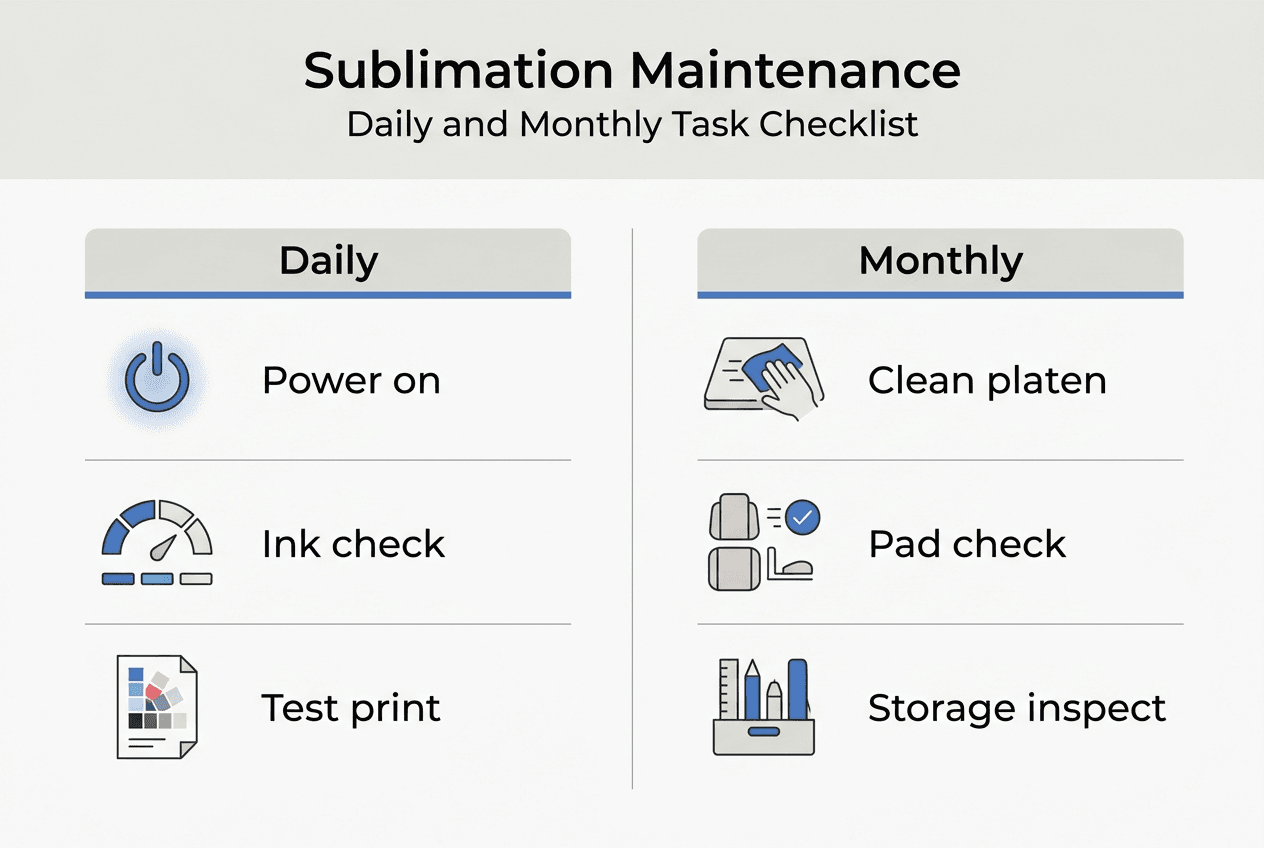
Daily maintenance takes just five minutes but prevents hours of downtime. Start each working day by powering on your printer properly through the main switch, never by plugging in the power cable. This allows the printer’s internal systems to run diagnostic checks and prime the ink delivery system. Check ink levels visually through cartridge windows or via printer software, noting any colours running low before they cause mid-job failures.
Print a test page every three days minimum, even when you have no customer orders. This simple habit keeps ink flowing through nozzles and prevents dried deposits that cause expensive print head replacements. A nozzle check pattern reveals missing lines or streaks immediately, allowing you to run cleaning cycles before problems worsen. Keep your workspace dust-free by wiping surfaces near the printer and avoiding activities that generate airborne particles during printing.
Weekly maintenance builds on daily habits with deeper attention to mechanical components:
- Wipe printer exterior and control panel with a lint-free microfibre cloth slightly dampened with water
- Clean paper feed rollers using a cotton bud moistened with distilled water to remove paper dust and fibres
- Run a nozzle check and head alignment through printer software, performing cleaning cycles if patterns show gaps
- Inspect the waste ink pad indicator light or software counter, noting the percentage used
- Check paper path for debris or torn paper fragments that cause jams
Heat press maintenance focuses on the platen surface and mechanical components. Wipe the platen daily after it cools using a damp cloth to remove ink residue and paper fibres. Sublimation transfer papers leave microscopic deposits that accumulate over time, creating uneven pressure points that affect print quality. Temperature calibration should occur annually using a heat gun or infrared thermometer to verify actual platen temperature matches the digital display.
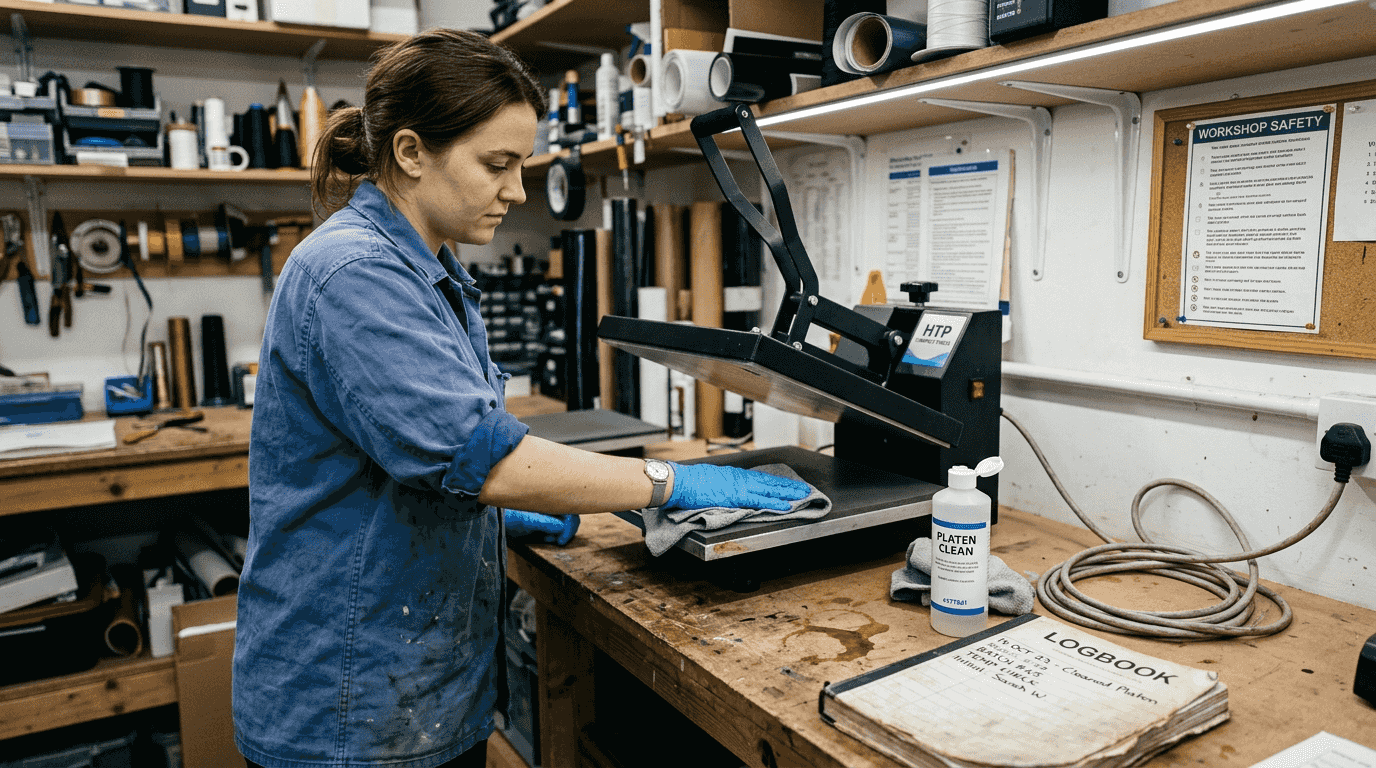
Lubricate heat press hinges monthly with a light machine oil, wiping away excess to prevent drips onto the platen. Check pressure adjustment knobs for smooth operation and tighten any loose hardware. Uneven pressure causes light patches in transfers, whilst excessive pressure can damage blanks and strain mechanical components.
Pro Tip: Keep a dedicated maintenance kit near your equipment containing lint-free cloths, cotton buds, distilled water in a spray bottle, and light machine oil. Having supplies immediately accessible removes excuses for skipping routine tasks.
Document completion of weekly tasks in a simple logbook or spreadsheet. This record proves valuable for warranty claims and helps identify patterns when problems occur. Note any unusual sounds, error messages, or changes in print quality alongside your maintenance activities. Understanding your equipment’s normal behaviour makes spotting early warning signs of failure much easier.
Your sublimation printer setup should include space for maintenance supplies and adequate lighting to inspect components properly. Position equipment to allow access to all sides for cleaning and servicing. The essential equipment list for any sublimation business includes maintenance tools alongside production supplies.
Execution: monthly deep cleaning and specialised heat press care
Monthly deep cleaning addresses areas that daily and weekly routines cannot reach. Schedule 30-45 minutes when you have no urgent orders, as rushing this process defeats its purpose. Power off and unplug your printer, allowing it to cool completely before opening any covers or panels. Remove ink cartridges and set them upright on paper towels to catch any drips.
Clean accessible printer components using cotton buds moistened with distilled water, paying particular attention to the capping station where print heads rest when idle. This rubber component seals against print heads to prevent drying but collects ink residue that can transfer back onto nozzles. Gently wipe the wiper blade that cleans print heads during maintenance cycles, removing accumulated ink without applying excessive pressure that damages the delicate rubber edge.
Waste ink pad inspection and replacement prevents overflow situations that damage printer electronics and void warranties. Most printers track waste ink through an internal counter, displaying warnings when the pad approaches capacity. Check your printer manual for pad location and replacement procedures specific to your model. Some pads can be washed and reused, whilst others require replacement with genuine manufacturer parts.
Ink storage deserves monthly attention to maintain quality. Inspect bottles for sediment or separation, gently rolling them to remix settled pigments without creating air bubbles. Store inks sealed in their original containers within a cool, dry cupboard, ideally between 15-25°C. Extreme temperature fluctuations degrade ink chemistry, reducing colour accuracy and increasing clog risk. Replace any inks approaching their expiration date, as old ink causes more problems than it saves in cost.
Specialised heat press equipment requires different monthly care approaches. Mug presses need particular attention to heating element condition and timer accuracy. Preheating mugs before pressing removes residual moisture that interferes with sublimation, especially important in humid UK conditions. Clean mug press heating elements with a slightly damp cloth when cool, removing any polymer coating residue from previous transfers.
Convection ovens used for sublimation require temperature verification monthly using an oven thermometer placed at rack level. Accurate temperature control within ±2°C ensures consistent results across different blank types. Rotating items during oven sublimation compensates for hot spots common in domestic convection ovens, though commercial sublimation ovens provide more uniform heat distribution.
| Equipment type | Monthly task | Time required | Critical focus | | — | — | — | | | Sublimation printer | Deep clean components | 30-45 minutes | Capping station and waste pad | | Heat press | Calibrate temperature | 15 minutes | Verify actual vs displayed temp | | Mug press | Clean elements and check timer | 20 minutes | Remove residue and test accuracy | | Convection oven | Temperature verification | 10 minutes | Check uniformity across racks |
The sublimation transfer process depends on equipment operating within tight tolerances. Monthly deep cleaning maintains these standards and catches developing problems before they cause production failures. Treat this maintenance as a business investment that protects your equipment assets and ensures consistent quality for customers.
Verification: troubleshooting common maintenance issues and safety tips
Verifying maintenance effectiveness requires systematic inspection and testing. After completing cleaning routines, run a comprehensive nozzle check pattern and compare it against your baseline test print from when the printer was new. Progressive degradation often occurs so gradually that you fail to notice until comparing against a known good reference. Missing nozzles, streaks, or colour shifts indicate problems requiring immediate attention before they worsen.
Waste ink tank overflow represents one of the most damaging failures in sublimation printers. Inspect the waste tank before each power-on to catch approaching capacity limits. Most printers display a warning at 80-90% capacity, but mechanical counters sometimes fail or reset incorrectly after service. Physical inspection provides certainty that software indicators cannot match. Empty or replace waste tanks promptly when they reach 75% capacity, leaving margin for error.
Common maintenance troubles and their solutions:
- Persistent clogs despite cleaning cycles suggest dried ink in the print head; try overnight soaking with cleaning solution
- Streaky prints after cleaning indicate damaged or worn wiper blade requiring replacement
- Temperature calibration drift on heat presses often results from worn heating elements or failing thermocouples
- Paper feed issues typically stem from worn rollers or incorrect paper thickness settings
- Colour shifts suggest air in ink lines or contaminated ink requiring system purging
Maintain a detailed log recording all maintenance activities, problems encountered, and solutions applied. This documentation proves invaluable for warranty claims and helps identify patterns in recurring issues. Note the date, task performed, any unusual observations, and how long the task required. Digital logs allow searching for specific symptoms when troubleshooting new problems.
Pro Tip: Photograph your equipment’s normal appearance during maintenance, capturing details like waste pad condition, wiper blade position, and capping station cleanliness. These reference images help you spot abnormal wear or damage during future inspections.
Safety considerations protect both operators and equipment. Sublimation inks contain chemicals requiring proper handling precautions. Work in well-ventilated areas and use protective equipment including nitrile gloves, safety goggles, and respiratory masks when handling concentrated inks or performing deep cleaning. UK Health and Safety Executive COSHH regulations require risk assessments for chemical handling, even in small businesses operating from home.
Ventilation requirements vary by workspace size and equipment type. Small home-based operations benefit from opening windows and using extraction fans during printing and pressing. Commercial premises may require dedicated extraction systems to maintain air quality within safe limits. Heat presses generate significant fumes during transfer, particularly when pressing polyester fabrics at high temperatures. Position presses near windows or extraction points to remove fumes before they accumulate.
Dispose of waste materials responsibly. Used cleaning cloths contaminated with ink should not enter general waste streams. Contact your local council for guidance on disposing of chemical waste and used ink cartridges. Many manufacturers operate recycling programmes for empty cartridges, reducing environmental impact whilst sometimes offering discounts on replacement supplies.
Your printer setup guide should include safety considerations from the beginning, establishing good practices before bad habits form. Understanding sublimation terminology helps you interpret equipment manuals and safety documentation accurately, ensuring you follow manufacturer recommendations correctly.
Boost your sublimation business with quality blanks and supplies
Maintaining your equipment properly deserves to be matched with quality consumables that protect your investment. Premium sublimation blanks reduce printing errors and extend equipment life by eliminating the paper dust and coating irregularities that cheaper alternatives introduce into your workspace. Consistent blank quality means fewer rejected prints and less wear on your heat press platen from uneven surfaces.
Protect your heat press platen with proper accessories like Teflon sheets that prevent ink transfer and extend platen life by years. High-quality sublimation paper releases cleanly without leaving residue that accumulates on pressing surfaces. When you are ready to expand your product range, explore our MDF blanks that offer excellent sublimation results with minimal equipment wear. We supply trade quality products with no minimum orders, supporting UK and Ireland businesses with fast delivery and expert guidance.
FAQ
How often should I perform maintenance on sublimation equipment?
Daily tasks take five minutes and include powering on correctly, checking ink levels, and printing test pages every three days when idle. Weekly maintenance requires 15-20 minutes for exterior cleaning, nozzle checks, and head alignment. Monthly deep cleaning demands 30-45 minutes for thorough component inspection and waste pad checks. Following this schedule prevents costly repairs and extends equipment lifespan significantly.
What is the best way to store sublimation inks and media in UK winters?
Store inks sealed in original containers within a cool, dry cupboard at 15-25°C, away from direct sunlight and heat sources. Keep sublimation paper in resealable bags with silica gel packets to control moisture absorption. Acclimate all materials to room temperature 24 hours before use, preventing condensation that damages print heads and causes paper jams. Never use external heat to warm cold supplies quickly, as rapid temperature changes create more condensation problems.
How do I know when to replace the waste ink pad?
Inspect the waste ink pad during weekly maintenance, checking both the physical pad condition and the printer’s software counter. Replace the pad when it reaches 75% capacity according to software indicators, or immediately if you notice saturation or ink pooling. Most printers display warnings at 80-90% capacity, but physical inspection provides certainty that software cannot match. Overflow damages electronics and voids warranties, making proactive replacement essential.
What safety precautions are essential during sublimation printing?
Use nitrile gloves, safety goggles, and respiratory masks when handling concentrated inks or performing equipment cleaning. Ensure your workspace has adequate ventilation through windows, extraction fans, or dedicated ventilation systems for commercial operations. Follow UK HSE COSHH guidelines by conducting risk assessments for chemical handling and maintaining safety data sheets for all inks and cleaning solutions. Position heat presses near extraction points to remove fumes generated during high-temperature transfers, protecting both immediate health and long-term respiratory wellbeing.


