



Why use laser engraving machines: a guide for UK small businesses
TL;DR:
- A laser engraving machine is a valuable tool for small businesses and individuals producing personalized, durable products. It offers permanent marks that last over 20 years with minimal ongoing costs and quick payback through efficient, high-quality output.
A laser engraving machine is worth buying for most individuals and small businesses that produce personalised products, need durable markings, or want to add a premium service without ongoing consumable costs. The marks are permanent, the process is repeatable, and with consistent use, suppliers and manufacturers report that a machine can often pay for itself within a year.
Three reasons stand out immediately:
- Permanence. Laser-engraved marks can last 20 or more years, far outlasting printed labels or ink-based alternatives that may fade within 2–10 years.
- Low ongoing costs. Because the process uses a focused beam rather than ink or tool bits, recurring consumable costs are minimal compared with most other marking methods.
- Payback potential. For businesses that use the machine consistently, cutting labour and consumable costs while charging a premium for personalised products makes a realistic payback horizon achievable.
Subliblanks stocks xTool laser engraving machines and a full range of laser-engraveable blanks for UK businesses ready to get started.
Table of Contents
- Why use laser engraving machines: how the process actually works
- Which type of laser engraver suits your materials?
- What can you actually make with a laser engraver?
- The real advantages of laser engraving for small businesses
- Drawbacks and limitations you should know before buying
- How to choose the right laser engraver for your needs
- What you need to run a laser engraver safely and effectively
- Typical costs in the UK and a simple ROI example
- Maintenance and troubleshooting basics
- Key takeaways
- The case for laser engraving is stronger than the headline specs suggest
- Subliblanks: UK wholesale supply for laser engraving
- Useful sources and further reading
Why use laser engraving machines: how the process actually works
Laser engraving removes or alters material with a focused beam, leaving a permanent mark without any physical contact between tool and surface. That single fact explains most of its advantages over traditional methods.
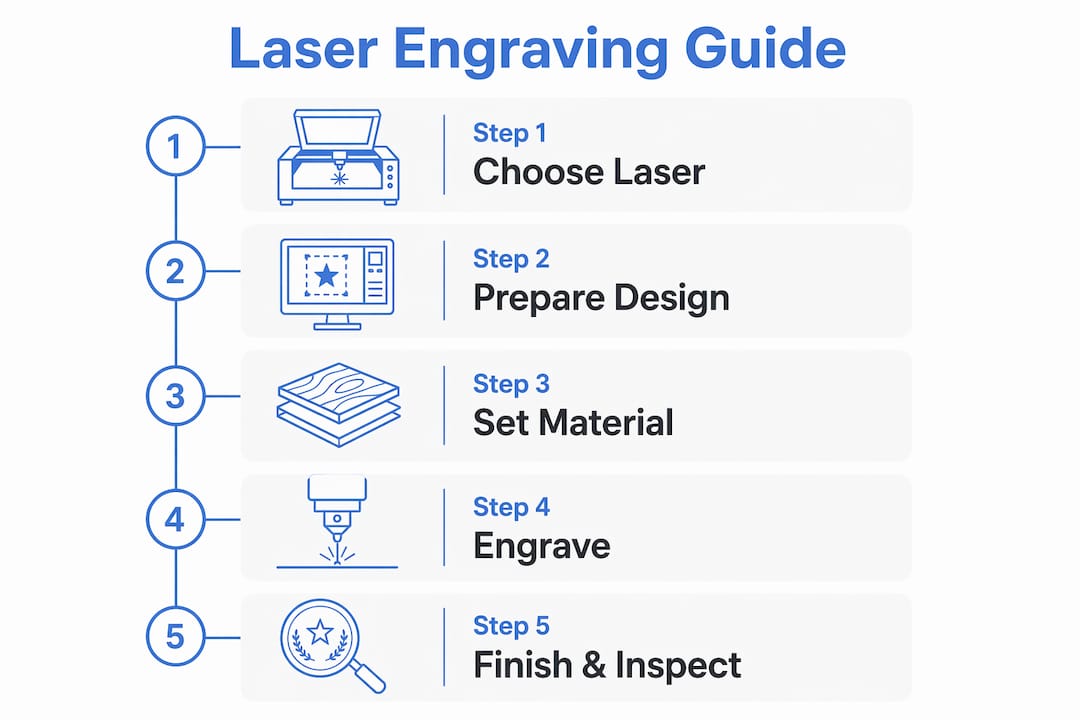
The basic sequence is straightforward. You create or import a design in compatible software, position your material on the machine’s bed, set the speed and power parameters, and the machine traces the design with a laser beam. The beam vaporises or fractures a thin layer of material, producing the mark. No mask, no resist, no ink.
Modern laser engravers are designed to work much like an office printer: import a file, click run. That accessibility is why beginners with minimal training can produce professional results from day one.
The core components worth understanding before you buy:
- Laser source — the type (CO2, fibre, or diode) determines which materials you can mark.
- Motion system — stepper or servo motors move the head across the bed; quality here affects edge accuracy.
- Controller and software — translates your design file into movement and power instructions.
- Focal optics — the lens focuses the beam to a point typically less than a fraction of a millimetre wide; focal length affects both mark depth and the machine’s ability to cut.
- Exhaust and ventilation — not optional. Fumes from engraving wood, acrylic, and coated metals require active extraction.
Which type of laser engraver suits your materials?
Matching laser type to material is the single most important decision a first-time buyer makes. Mismatch is the most common cause of disappointment.
The three main types each occupy a distinct niche:
- CO2 lasers excel on organic and non-metallic materials: wood, leather, acrylic, glass, fabric, and MDF. They are the workhorse of small-business personalisation.
- Fibre lasers are the correct choice for bare metals — stainless steel, aluminium, brass, titanium. A CO2 machine cannot mark bare metal without a chemical coating.
- Diode lasers sit at the entry-level end. Lower power, lower cost, and compact enough for a desk. Suitable for wood, leather, and some plastics, but not glass or bare metal.
- UV and hybrid machines handle sensitive materials (plastics, glass, PCBs) or offer combined capability, though at a higher price point.
| Material | Recommended laser type | Typical use examples |
|---|---|---|
| Wood, MDF, bamboo | CO2 | Personalised gifts, signage, awards |
| Leather | CO2 | Wallets, keyrings, bags |
| Acrylic / perspex | CO2 | Plaques, displays, jewellery |
| Bare stainless steel / aluminium | Fibre | Serial plates, industrial marking, jewellery |
| Anodised aluminium | CO2 or diode | Branded merchandise, phone cases |
| Fabric / cork | Diode or CO2 | Patches, coasters, promotional items |
| Glass | CO2 | Drinkware, awards |
For a deeper look at which materials work with which machines, the laser engravable materials guide from Subliblanks covers compatibility in practical detail.
Power and bed size are secondary but still matter. A 40W CO2 handles most small-business work; step up to 60–80W if you need faster throughput or thicker cuts. Bed size dictates the maximum workpiece dimension — a 300 × 200 mm bed suits most gift items, while signage or larger panels need 600 × 400 mm or above.
What can you actually make with a laser engraver?
The range of products a small business can produce is wider than most people expect before they buy. Here are the most common starting points:
- Personalised gifts: mugs, keyrings, photo frames, chopping boards, slate coasters
- Branded merchandise: pens, notebooks, USB drives, lanyards
- Signage and plaques: office door signs, memorial plaques, awards and trophies
- Jewellery: rings, pendants, cufflinks with custom text or patterns
- Industrial and traceability marking: serial numbers, barcodes, asset tags
- Prototypes and short-run product development
- Bespoke packaging and presentation boxes
For a maker or small print shop, the practical opportunity is adding new SKUs without adding new suppliers. A shop already selling sublimation-printed mugs, for example, can use the same blank mug range and add an engraved version at a higher price point. Laser-engraveable blanks examples illustrate exactly this kind of product expansion for UK makers.
Quick wins for beginners tend to involve flat, low-cost materials with simple designs: slate coasters, wooden keyrings, and anodised aluminium tags all produce sharp, professional results with minimal setup. They are also forgiving if you need to dial in your parameters on the first few test pieces.
The real advantages of laser engraving for small businesses
Laser engraving produces marks that are part of the material itself, not applied on top of it. That distinction matters for durability, brand perception, and long-term product quality.

Permanence and contrast. Properly executed engravings can remain legible for 20 or more years and survive environments that would destroy adhesive labels or printed finishes. For traceability applications, that longevity is a requirement, not a bonus.
Repeatability. Once parameters are set, the machine produces identical marks across every piece in a batch. There are no human variables, no ink bleed, no variation between operator shifts. For batch work with jigs in place, this consistency scales to thousands of parts.
No consumables. The process uses light, not ink or tool bits. Running costs reduce to electricity and occasional optics cleaning. That simplifies margin calculations and removes the inventory complexity of managing ink stock.
Speed. Lasers offer fast cycle times and straightforward integration with automation workflows. A desktop machine can engrave a keyring in under a minute; a small-business CO2 can process dozens of coasters per hour.
Design flexibility. The same machine handles text, photographs, vector logos, and fine detail patterns without changing any physical tooling. Switching between jobs takes seconds.
From a business perspective, these advantages translate directly to margin. Personalised items command a premium over undecorated equivalents, and the role of laser engraving in business growth is well documented among UK makers who have used it to move from commodity products to bespoke, higher-value lines.
Drawbacks and limitations you should know before buying
No technology is without constraints, and laser engraving has several worth understanding before you commit.
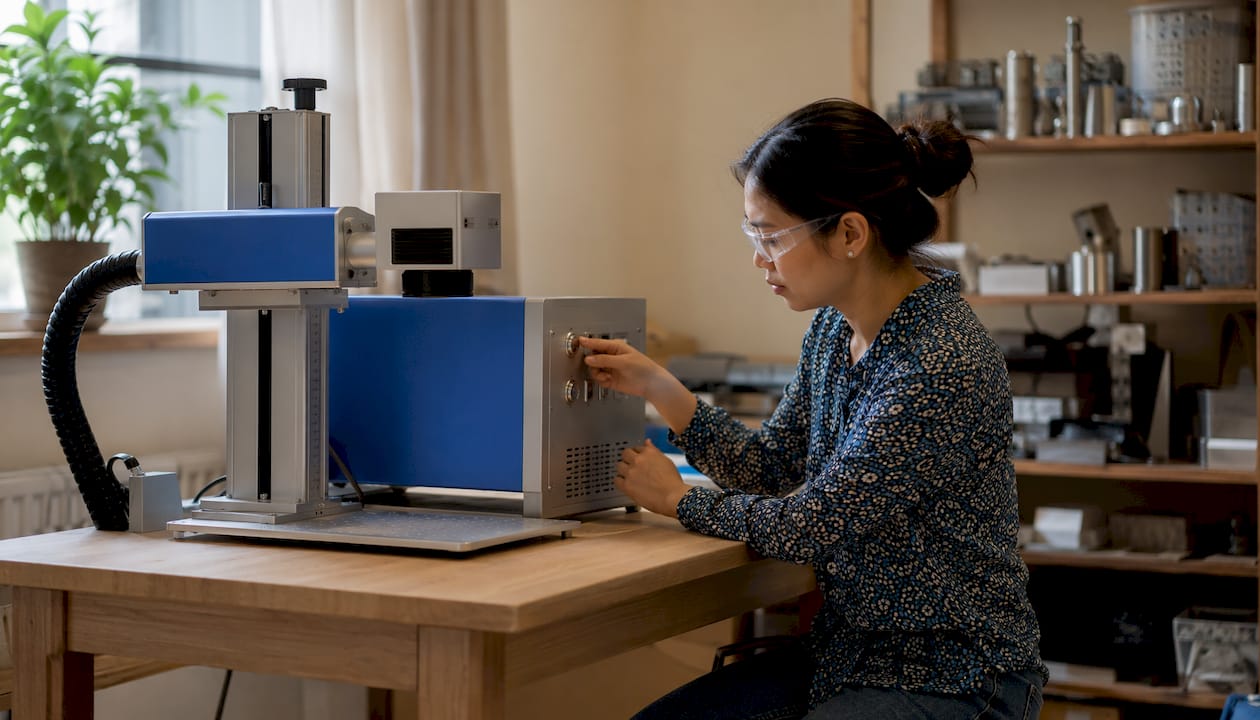
Upfront cost is the most obvious barrier. Desktop diode machines start from a few hundred pounds, but a capable small-business CO2 system with extraction typically costs £1,000–£3,000 or more. Fibre lasers for metal marking sit higher still.
Material limitations. A CO2 laser cannot mark bare metal without a chemical coating such as Cermark. A diode machine cannot engrave glass. Buying the wrong type for your primary material is an expensive mistake.
Speed versus depth trade-offs. Deep engraving requires multiple slow passes. If your workflow demands significant depth on hard materials, cycle times extend considerably.
Fumes and safety. Engraving certain materials — PVC, coated metals, some composites — releases hazardous gases. Correct extraction and enclosures are non-negotiable. UK operators should follow HSE guidance on fume extraction and check that their machine carries a CE mark. Never engrave PVC under any circumstances; the chlorine gas produced is toxic.
Operational constraints. Bed size limits workpiece dimensions. Noise and heat generation require a suitable workspace. Thermal management matters on longer runs — some machines need pauses or active cooling.
Pro Tip: Always test on a scrap piece of your actual production material before running a full batch. Parameters that work perfectly on one supplier’s oak veneer may need adjustment on another’s.
How to choose the right laser engraver for your needs
Start with material compatibility, then bed size, then power and software support. In that order. Getting the laser type wrong means the machine cannot do the job regardless of its other specifications.
A practical buyer’s checklist:
- List every material you plan to engrave — this determines laser type (CO2, fibre, or diode).
- Estimate your weekly volume — a hobby diode suits occasional use; a CO2 or fibre suits regular production.
- Decide on mark depth — surface marking needs less power than deep engraving.
- Measure your largest typical workpiece — this sets the minimum bed size you need.
- Check power rating against your material thickness and desired speed.
- Confirm software compatibility with your existing design tools (LightBurn, xTool Creative Space, RDWorks, and similar).
- Verify spare parts availability and warranty terms.
- Ask specifically about UK-based technical support and training.
- Confirm extraction options — some machines include an enclosure; others require a separate unit.
- Check the return and exchange policy before ordering.
Questions worth asking your supplier before purchase:
- What is the warranty period, and is UK servicing available?
- Can I get a demonstration before committing?
- Are spare lenses, tubes, and belts stocked in the UK?
- Is training included or available separately?
- What extraction unit do you recommend for my materials?
Quick decision flow: if metal marking is your priority, choose a fibre laser. If wood, leather, or acrylic is your core material, a CO2 is the right fit. If you are starting out on a limited budget with light hobby or craft use, a desktop diode machine is a sensible entry point. The practical guide to laser engraver machines from Subliblanks covers these decisions in more detail for UK buyers.
What you need to run a laser engraver safely and effectively
Getting the workspace right before the machine arrives saves time and prevents problems. Here is what you need:
- Stable workbench — level, heat-resistant surface with enough clearance around the machine for ventilation and material handling.
- Dedicated power supply — check the machine’s amperage requirements; some CO2 systems need a 16A circuit.
- Extraction and ventilation — an inline fan ducted outside, or a filtered fume extractor rated for your materials. This is a legal safety requirement, not a preference.
- Fire extinguisher — CO2 type, within reach. Laser engraving does occasionally ignite materials, particularly thin wood.
- PPE — laser safety glasses rated for your machine’s wavelength (not standard safety glasses), and gloves for handling freshly engraved hot materials.
- Test material samples — always run calibration cuts on offcuts before production.
- Basic hand tools — hex keys for alignment, a focus gauge or test card, and cleaning swabs for optics.
Software and file preparation: most machines accept SVG, DXF, BMP, or PNG files. LightBurn is the most widely used third-party software for CO2 and diode machines and handles both raster and vector engraving. xTool machines work with xTool Creative Space, which is designed for beginners and includes ready-made templates. Calibrate the focal distance before every session if you change material thickness.
HSE guidance on laser safety classifies most engraving machines as Class 4 lasers when the lid is open; enclosed machines with interlocks reduce this to Class 1 during operation. Always check your machine’s CE marking and follow the manufacturer’s safety documentation.
Typical costs in the UK and a simple ROI example
Cost breaks down into three categories: the machine itself, essential accessories, and running costs.
Machine purchase price bands (approximate, UK market):
- Desktop diode (hobby/entry): £200–£600
- Small-business CO2 (20W–60W): £800–£2,500
- Professional CO2 or fibre (60W+): £2,500–£8,000+
- Industrial fibre systems: £10,000 and above
Essential accessories often add £200–£600 to the initial outlay: a fume extractor, air assist pump, rotary attachment for cylindrical items, and a honeycomb cutting bed.
Running costs are genuinely low. Electricity is the main ongoing expense. CO2 laser tubes have a finite lifespan (typically 1,000–2,000 hours for lower-end tubes) and will eventually need replacement, but this is a periodic rather than per-job cost. Diode and fibre lasers have longer-lived sources. There is no ink, no chemical, no tool bit to replace on standard marking jobs.
A simple payback illustration (assumptions stated):
Suppose you buy a small-business CO2 system for £1,500 all-in (machine plus extractor). You engrave personalised wooden gifts, adding £8 per item in labour and material cost, and sell each for £18, giving a £10 margin per piece. At 20 items per week, that is £200 per week gross margin from engraving. At that rate, the machine cost is recovered in roughly 7–8 weeks of consistent production. These figures are illustrative; actual results depend on utilisation hours, your pricing, material costs, and how quickly you reach full production speed.
Variables that shift the ROI significantly: how many hours per week the machine runs, the margin per engraved item, and how long it takes to ramp up to consistent output. A machine that sits idle three days a week takes proportionally longer to pay back. For a more detailed cost model, the cost estimator at Availzye Machinist Pro can help you build realistic assumptions for your own workflow.
Maintenance and troubleshooting basics
Routine upkeep is straightforward and takes less time than most buyers expect.
Routine maintenance schedule:
- Daily: check the lens and mirror for debris or residue; confirm the focal distance; inspect the extraction system for blockages.
- Weekly: clean the lens with an appropriate optical cleaning solution and lint-free swabs; wipe down the bed and rails; check belt tension.
- Monthly: run an alignment check (fire a test dot at each corner of the bed and compare positions); inspect the laser tube or diode module for signs of discolouration or damage; check all cable connections.
- Annually (or per manufacturer schedule): full service including mirror alignment, cooling system check (for water-cooled CO2 machines), and replacement of any worn motion components.
Common issues and quick fixes:
- Faded or inconsistent marks — usually a dirty or misaligned lens, or incorrect focal distance. Clean the lens first, then re-focus.
- Ghosting or double lines — loose belts or worn pulleys causing the head to shift slightly between passes. Check and tension the belts.
- Misalignment across the bed — the beam path is out of alignment. Run the four-corner test and adjust mirrors per the manufacturer’s guide.
- Software communication errors — check USB or network connections, update drivers, and confirm the machine is not in an error state (check the controller display).
Call for professional service when: the laser tube output has visibly degraded despite clean optics, the motion system produces grinding noises, or the controller throws persistent error codes that a restart does not clear.
Key takeaways
Laser engraving is a practical, low-consumable technology that suits UK small businesses and makers who need durable, repeatable marks and want to add premium personalised products to their range.
| Point | Details |
|---|---|
| Match laser to material first | CO2 for wood, leather, and acrylic; fibre for bare metals; diode for entry-level hobby work. |
| Marks last 20+ years | Laser engravings outlast printed labels and ink-based marks, making them suitable for traceability and high-value branding. |
| No consumables means simpler margins | Running costs reduce to electricity and occasional optics maintenance, with no ink or tool-bit replacement. |
| Payback can be fast with consistent use | A worked example shows machine costs can be recovered in weeks at modest production volumes, though actual results vary. |
| Subliblanks supplies the full UK setup | xTool machines, laser-engraveable blanks, and extraction accessories are available from Subliblanks with no minimum order. |
The case for laser engraving is stronger than the headline specs suggest
Most buyer’s guides focus on wattage and bed size. Those matter, but they are not where the real decision lives.
The more interesting question is what laser engraving does to your product’s perceived value. A mark that is part of the material itself, rather than printed on top of it, signals something different to a customer. It reads as permanent, considered, and professional in a way that a vinyl sticker or inkjet label simply does not. That perception shift is where the margin opportunity actually sits, and it is why businesses that add engraving often find they can raise prices rather than just reduce costs.
There is also a practical point that gets underplayed: the absence of consumables genuinely simplifies running a small business. No ink orders to track, no tool bits to reorder, no per-job material cost that fluctuates with supplier pricing. Your cost per mark is essentially fixed. That predictability makes pricing and forecasting easier, which matters more than it sounds when you are running a small operation.
The one thing I would push back on in the standard advice is the idea that you should start with the cheapest machine and upgrade later. In practice, buying a diode machine when your primary material is bare metal, or a small-bed CO2 when you need to engrave A3-sized signage, means buying twice. Spend the time upfront to map your actual materials and workpiece sizes to the correct machine class. The practical guide to laser engravable blanks is a useful starting point for UK makers thinking through exactly this.
Subliblanks: UK wholesale supply for laser engraving
If you are ready to add laser engraving to your business, Subliblanks gives you a single UK source for everything you need, with no minimum order quantity. That means you can start with one machine and a small run of blanks, test your workflow, and scale up without committing to bulk stock before you know what sells.
Subliblanks stocks xTool laser engraving machines alongside a full range of laser-engraveable blanks across wood, slate, acrylic, leather, and metal-coated substrates. Extraction accessories, rotary attachments, and spare parts are also available. Whether you are setting up your first engraving station or expanding an existing personalisation business, the Subliblanks product range covers the equipment, blanks, and supplies in one place.
Contact Subliblanks directly for UK support, bulk pricing, or guidance on which machine suits your materials and volume.
Useful sources and further reading
These resources are worth bookmarking for safety guidance, technical detail, and material compatibility:
- HSE laser safety guidance — the UK Health and Safety Executive’s official guidance on laser classification, safe use, and employer obligations. Start here for compliance.
- Laser engraving — Wikipedia — a thorough technical overview of how laser engraving works, including raster versus vector modes, machine components, and historical context.
- Laser engraving for end-use parts — Hubs — covers permanence, traceability, and industrial applications; useful if you are considering marking for compliance or product identification.
- How laser engraving works — Epilog Laser — a manufacturer’s guide to the process, laser types, and material compatibility; practical and accessible.
- Types of industrial printing equipment — Transfer Kingz — a broader overview of marking and printing technologies, useful for comparing laser engraving with other decoration methods.
- Laser engravable materials guide — Subliblanks — UK-focused material compatibility reference with practical recommendations for small businesses.
- How to engrave laser blanks for professional products — Subliblanks — step-by-step production guidance for turning blanks into saleable items.


