



The role of badge machines for events and schools
TL;DR:
- Badge machines produce personalized credentials instantly, identifying holders, verifying authorization, and granting access efficiently. They significantly reduce check-in times, improve accuracy, and enhance security for events and schools through integrated, real-time workflows. Connecting these systems to dedicated networks and proper planning ensures reliable, high-speed identification while transforming badge issuance into a key security infrastructure.
Badge machines are devices that produce personalised identification credentials on demand, serving as the physical and digital gateway for event attendees and school visitors. The role of badge machines extends well beyond printing a name on a card. A well-deployed badge machine identifies the holder, proves their authorisation, and grants controlled access via QR code or RFID chip, all within seconds of arrival. For event organisers and school administrators, this combination of speed, accuracy, and security makes badge machines a core operational tool rather than a convenience.
What is the role of badge machines in identification and access?
On-site badge printing stations allow personalised badges to be produced instantly after QR or RFID verification, replacing the old practice of printing days in advance and managing pre-sorted envelopes. This shift removes an entire layer of pre-event administration. A badge issued at the point of arrival is always accurate, always current, and never lost in a pile of uncollected lanyards.
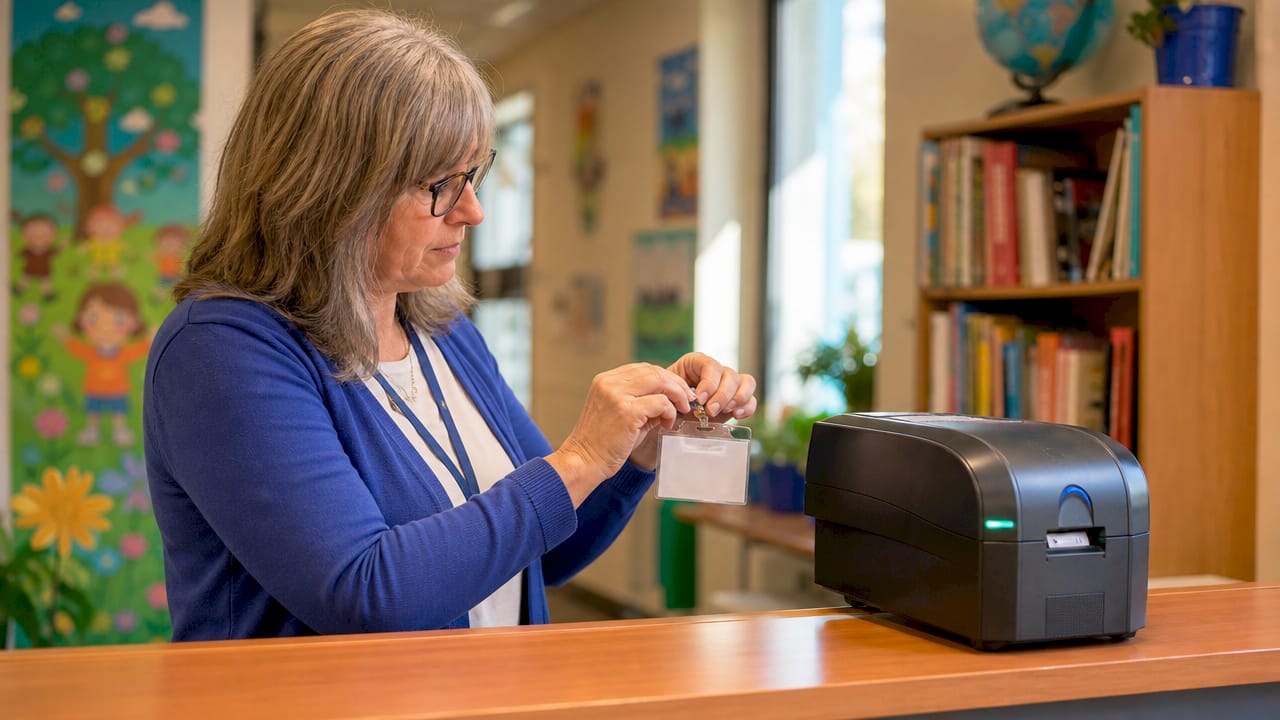
A well-designed event badge simultaneously identifies the holder, proves authorisation, and grants access to specific zones linked to their attendee category. This three-in-one function is what separates a badge machine from a simple label printer. The credential encoded on the badge, whether a QR code or an RFID chip, carries permissions that gate-control systems read automatically, removing the need for staff to make manual judgement calls at entry points.
For schools, the importance of badge machines is equally clear. Visitor management depends on knowing exactly who is on site, when they arrived, and which areas they are permitted to enter. A badge machine connected to a visitor management system (VMS) produces that record automatically, with no handwritten logs and no ambiguity.
How do badge machines work and what technologies do they use?
Understanding the badge creation process helps you choose the right equipment and avoid costly mismatches between hardware and software. The typical workflow follows three steps.
- Scan or search. The attendee scans a pre-registered QR code from a confirmation email, or a staff member searches by name in the registration database.
- Verify. The system checks the credential against live registration data, confirms the attendee category, and retrieves the correct badge template.
- Print. The badge prints in seconds and is handed to the attendee or dispensed by a self-service kiosk.
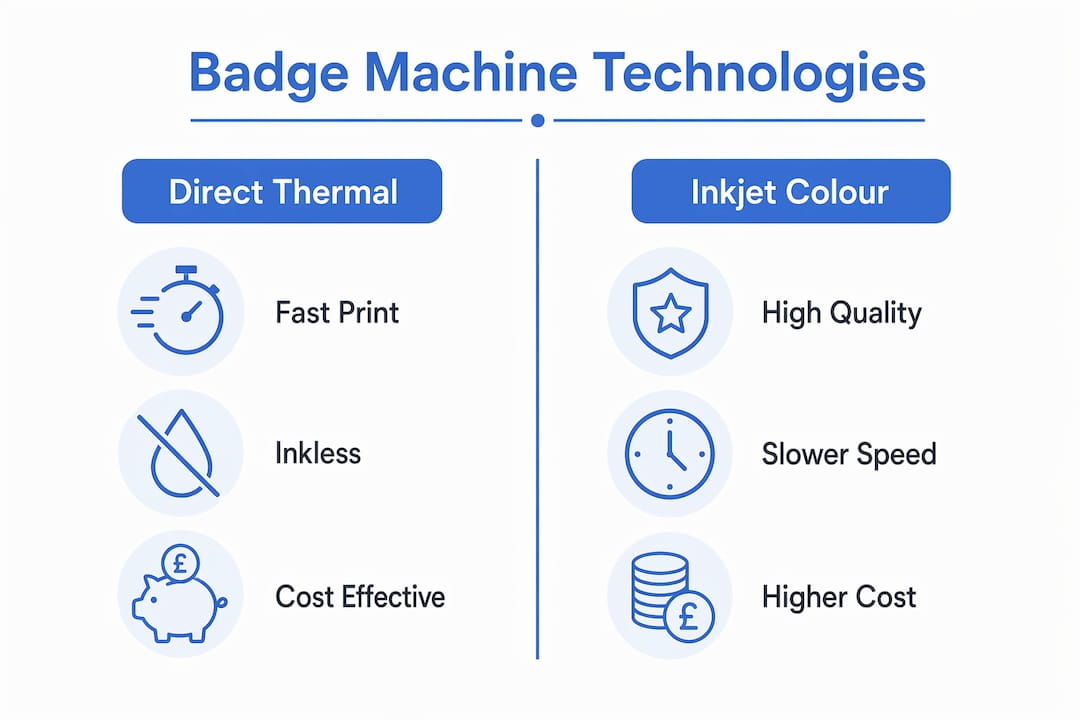
Two printing technologies dominate badge machine applications. Direct thermal printers use heat-sensitive media to produce text and graphics without ink cartridges. Models such as the Zebra ZD421 and Brother QL-820NWB are common in schools because they print badges in approximately 2 to 5 seconds and require almost no maintenance. Inkjet printers offer richer colour output but introduce ink costs, slower speeds, and more frequent servicing.
Machine-readable credentials add a second layer of function to the printed badge. QR codes are inexpensive to generate and read with any smartphone or fixed scanner. RFID chips go further: an RFID badge enables contactless, real-time identity validation and automated attendance logging without requiring a deliberate scan. The reader captures the tag ID as the holder walks through a zone, middleware validates the credential, and access is granted or denied in under a second.
Connectivity ties the system together. Most badge printing stations rely on Wi-Fi or Bluetooth to communicate with a central registration database. Tablets and handheld scanners serve as the front-end interface, keeping the station compact and portable.
Pro Tip: Always connect badge printing stations to a dedicated local router rather than the venue’s shared Wi-Fi. Venue networks are frequently overloaded during peak check-in periods, and a single dropped connection can halt your entire badge issuance process.
What are the practical benefits of badge machines for events and schools?
The operational advantages of badge machines are measurable and significant. Consider the most common pain points at any large check-in: long queues, incorrect badges, and staff overwhelmed by manual lookups. Badge machines address all three directly.
- Speed. A self-service kiosk with badge printing can process 120 to 180 attendees per hour per station. That figure represents roughly double the throughput of a manual check-in desk. For a 500-person conference, the difference between two kiosks and a manual desk is the difference between a 15-minute queue and a 90-minute one.
- Accuracy. Badge data is pulled directly from the registration database, so the name, title, and access permissions are always correct. Manual badge issuance introduces transcription errors, illegible handwriting, and mismatched pre-printed badges.
- Real-time attendance tracking. Every badge printed or scanned creates a timestamped record. Event organisers gain live visibility of who has arrived, which sessions they attended, and which zones they accessed.
- Secure zone control. Machine-readable credentials enforce access rules automatically. A delegate badge does not open the speaker green room. A school visitor badge does not unlock a staff-only corridor. The system handles this without requiring a staff member at every door.
The badge machine benefits for schools are particularly strong in safeguarding contexts. A visitor who cannot produce a valid, system-issued badge is immediately identifiable as someone who bypassed the front desk, giving staff a clear and consistent protocol to follow.
Direct thermal vs inkjet: which badge machine suits your needs?
Choosing the right printing technology and credential format is the decision that most affects long-term running costs and operational fit. The table below summarises the key tradeoffs.
| Factor | Direct thermal | Inkjet colour |
|---|---|---|
| Print speed | 2 to 5 seconds per badge | 10 to 30 seconds per badge |
| Consumable costs | Label stock only; no ink | Ink cartridges plus media |
| Hardware cost | £120 to £320 (approx.) | £1,500 and above |
| Colour output | Limited; pre-coloured labels available | Full colour, photographic quality |
| Maintenance | Minimal | Regular head cleaning required |
| Best for | Schools, conferences, high-volume events | Branded exhibitions, premium events |
Thermal printers with pre-coloured labels are more cost-effective than inkjet colour printers for schools that require colour-coded visitor badges. A school issuing 50 visitor badges per day across an academic year will spend significantly less on a thermal setup than on inkjet consumables alone.
On the credential side, QR code badges are the cost-effective default. Every modern smartphone reads them, and the codes are generated by your registration software at no additional hardware cost. RFID badges carry a higher per-unit cost but unlock capabilities that QR codes cannot match: passive, hands-free validation and automated attendance logging across multiple zones simultaneously.
A hybrid approach suits many large events. Pre-printed shells carry the event branding, sponsor logos, and colour-coded category strips. The thermal printer adds only the variable data, which is the attendee name, company, and QR code, at check-in. This approach combines visual quality with the speed and accuracy of on-demand printing.
Pro Tip: When selecting badge stock, confirm compatibility with your printer model before ordering in bulk. Label dimensions, core size, and media type vary between manufacturers, and an incompatible roll will cause misfeeds and wasted stock at the worst possible moment.
How do badge machines integrate with event and school management workflows?
The biggest role of badge machines is to remove manual steps by integrating directly with live registration and visitor management systems for immediate, accurate badge printing. Integration is what separates a badge machine from a standalone printer. Without it, you are simply printing labels faster. With it, you are running a connected identification system.
Key integration points include:
- Registration databases. Platforms such as Eventbrite, Cvent, and school VMS solutions push attendee records to the badge printing station in real time. Any last-minute registration or amendment appears instantly at the print queue.
- Self-service kiosks. Attendees scan their confirmation QR code, the system retrieves their record, and the badge prints without staff involvement. This model works particularly well for conferences where attendees arrive in waves.
- RFID middleware. For events using RFID badges, middleware sits between the reader network and the access control system. It validates tag IDs, logs movements, and triggers gate actions. Without middleware, raw RFID reads are just numbers with no context.
- Offline caching. Stable network infrastructure and dedicated local routers keep stations operational even when venue internet is unreliable. Offline caching allows printing to continue from a local copy of the registration data, though syncing requires connectivity to maintain full accuracy.
For schools, integration with a VMS means that every visitor badge is tied to a digital record that includes the visitor’s name, the staff member they are visiting, their arrival time, and their departure. This audit trail is a safeguarding requirement in many UK schools and is produced automatically when the badge machine is properly connected.
What are the best practices for deploying badge machines effectively?
Deployment logistics determine whether your badge machine setup performs under pressure or collapses at peak check-in. Technology choice matters, but operational planning matters more.
- Pre-build badge templates by attendee type. Organisers who pre-fill static elements and leave only variable data fields for check-in reduce on-the-fly errors significantly. Create separate templates for delegates, speakers, sponsors, and staff before the event opens.
- Verify printer and label stock compatibility. Confirm that your printer model, label dimensions, and management software are all tested together before event day. Incompatibilities discovered on the morning of a conference are not recoverable.
- Deploy multiple stations and backup printers. Calculate your expected peak arrival rate and provision one station per 120 to 150 attendees per hour. Keep at least one spare printer loaded and ready. A single printer failure should never halt your entire check-in operation.
- Use a dedicated local network. Connect all badge printing stations to a dedicated router rather than the venue’s shared infrastructure. This single step prevents the most common cause of check-in delays at large events.
- Train staff and run a full test before event day. A 30-minute rehearsal with real badge templates, live registration data, and actual hardware catches configuration errors that no amount of planning will reveal on paper.
Pro Tip: For school deployments, check whether your chosen printer is listed as compatible with your VMS provider before purchasing. Printer compatibility with visitor management systems is a critical yet often overlooked factor that affects successful badge machine adoption.
Key takeaways
Badge machines deliver their full value only when printing technology, credential encoding, software integration, and deployment logistics are aligned from the outset.
| Point | Details |
|---|---|
| Core function | Badge machines identify, authorise, and grant access in a single credential issued at check-in. |
| Speed advantage | Self-service kiosks process 120 to 180 attendees per hour, roughly double the rate of manual check-in. |
| Technology choice | Direct thermal suits high-volume, low-cost deployments; inkjet suits premium branded events. |
| Integration is critical | Connecting badge machines to live registration data removes manual errors and enables real-time attendance tracking. |
| Deployment planning | Pre-built templates, dedicated networks, and backup printers prevent the most common operational failures. |
Why badge machines are becoming security infrastructure, not just printing tools
I have watched badge machines evolve from glorified label printers into genuine security infrastructure, and the shift is more significant than most event organisers realise. The moment you connect a badge machine to a live registration database and encode RFID credentials, you are no longer issuing stickers. You are issuing access tokens that carry permissions, trigger automated gates, and generate attendance records without any human intervention.
What surprises me most is how many schools and event teams still treat the badge machine as an afterthought. They invest heavily in registration software and access control hardware, then connect them with a printer that was never tested with either system. The result is a check-in process that looks modern but breaks under load. The technology is only as good as the planning behind it.
RFID is the development I find most compelling for 2026 and beyond. RFID shifts identification from manual scanning to automated real-time validation, which means event environments can manage access and attendance across dozens of zones simultaneously without adding staff. For schools, this translates to a visitor management system that logs every movement automatically, producing the kind of audit trail that safeguarding policies require but manual processes rarely deliver.
My practical advice: do not let the technology choice drive your budget before you have mapped your workflow. A direct thermal printer at £200 connected to a well-configured VMS will outperform a £2,000 inkjet setup running on a shared venue Wi-Fi network every time. Start with the workflow, then select the hardware that fits it.
— chris
Explore Subliblanks’ badge supplies for your next event or school project
If you are building or upgrading a badge machine setup, the quality of your badge blanks is as important as the printer you choose. Subliblanks supplies a range of sublimation badge blanks designed for compatibility with both thermal and inkjet badge printers, with no minimum order quantities, making them practical for schools running low volumes and event organisers scaling up for large conferences.
The sublimation MDF name badge with pin is a popular choice for events requiring a professional finish, while the round MDF name badge with pin suits schools and community events where a distinctive shape aids quick visual identification. Both options are compatible with standard badge machine workflows and deliver a finish that reflects well on your organisation. Browse the full range at Subliblanks to find badge blanks that match your printer, your brand, and your budget.
FAQ
What is the main role of badge machines at events?
Badge machines produce personalised identification credentials on demand at check-in, identifying the holder, confirming their authorisation, and encoding access permissions via QR code or RFID chip. This removes manual badge distribution and reduces check-in queues significantly.
How fast can a badge machine print a badge?
Direct thermal badge printers produce a badge in approximately 2 to 5 seconds per unit. Self-service kiosks equipped with badge printers can process between 120 and 180 attendees per hour per station.
Are badge machines suitable for schools?
Yes. Direct thermal printers are the standard choice for school visitor management because they are fast, require no ink, and cost between £120 and £320. Compatibility with your school’s visitor management system is the most important factor to verify before purchasing.
What is the difference between QR code and RFID badge machines?
QR code badges are cost-effective and readable by any scanner or smartphone, requiring a deliberate scan at each checkpoint. RFID badges enable contactless, passive validation, logging attendance and granting access automatically as the holder moves through a read zone, without any manual scanning.
Do badge machines work without an internet connection?
Most badge printing stations support offline caching, which allows printing to continue from a locally stored copy of the registration data if the internet connection drops. Full accuracy requires connectivity for syncing, so a dedicated local router is strongly recommended for all deployments.


