



15s Scan Check: Royal Mail Label Size Tips for UK Small Businesses
The correct choice is 6×4 inches (152 × 102 mm), the standard thermal label format built into Royal Mail Click & Drop. If you print on an ordinary office printer instead, use the A4 templates, available as one integrated label per sheet or as two or four separate labels per page. Whichever you pick, the size only matters if the barcode prints sharp and at full scale.
TL;DR:
- Thermal 6×4 inch labels are ideal for high-volume dispatches using dedicated roll printers, saving time and reducing errors.
- A4 templates suit occasional sending with office printers, but require precise printer settings and test runs to ensure barcode scanability.
- Correct application and handling of labels, including smooth adhesion and avoiding tape over barcodes, are critical for first-time scan success.
- Testing small batches of labels with a barcode app before full production minimizes costly sizing and adhesive mistakes.
- Volume, existing equipment, and parcel size should guide your choice between thermal rolls and A4 sheets, rather than default supplier suggestions.
Table of Contents
- Royal Mail label size and template specifications explained
- Thermal rolls or A4 sheets: which printer setup actually works
- Getting barcodes to scan first time, every time
- How to choose the right label format for your workflow
- Official templates and where to check the specifications
- Why testing small batches beats buying in bulk
- Where to buy compatible label stock and printers
- Sources
Royal Mail label size and template specifications explained
Royal Mail’s own template system gives you two real choices, and almost every printing headache traces back to picking the wrong one for your setup. The 6×4 inch label (152 × 102 mm, sometimes listed as 100 × 150 mm depending on the template version) is the dedicated thermal format, designed for standalone label printers that feed a continuous roll or fanfold stack.
The A4 route works differently. Royal Mail’s A4 integrated template combines the address label and the despatch note on one sheet, with the label area measuring 190 mm wide by 100 mm high, positioned 10 mm from the left, right, and foot edges, according to Royal Mail’s own guidance. Separate A4 templates skip the despatch note and print just the label, either as a single label per sheet or split into two or four per page for smaller parcels.
Here’s how the main formats break down:
- 6×4 inches (152 × 102 mm): the thermal roll standard, one label per print.
- A4 integrated: label plus despatch note combined, 190 × 100 mm label area with 10 mm margins.
- A4 separate (1 per sheet): full-page layout for laser or inkjet printers without roll feeders.
- A4 separate (2 or 4 per sheet): cut-down formats for batching several smaller parcels on one page.
None of these is objectively “better.” The right one depends entirely on what printer sits on your desk and how many parcels you’re sending on a given day.
Thermal rolls or A4 sheets: which printer setup actually works
Volume decides this more than anything else. If you’re despatching many parcels daily, a dedicated thermal printer running 6×4 rolls or fanfold stock will save you real time. There’s no cutting, no peeling apart a shared sheet, and no risk of the despatch note ending up stuck to the parcel by mistake. If you’re sending occasional parcels from a home office printer, A4 separate templates, printed four to a sheet, waste less paper and need no special hardware.
Whichever route you choose, printer settings cause more failed labels than template choice ever does. Follow this order every time:
- Open the print dialogue and set scale to 100%. Never accept “fit to page” or “shrink to fit.”
- Confirm the paper orientation matches the template. Most 6×4 labels print in landscape; A4 templates are portrait.
- Select the correct stock in your printer driver, thermal label roll, A4 plain paper, or A4 adhesive sheet, rather than leaving it on a generic default.
- Run one test print before committing to a full batch.
Stock matters too. White matte thermal rolls give the cleanest barcode contrast for laser scanners at sorting hubs. For A4 sticker sheets, check the adhesive is rated for permanent application. A label that peels at the corner during transit is a label that won’t scan on arrival.
Pro Tip: Keep one already-tested printer profile saved for each template type. Switching between a 6×4 roll job and an A4 print run resets scale settings on some drivers, and that single overlooked step is the most common reason a barcode prints slightly undersized.
Getting barcodes to scan first time, every time
Barcode clarity depends on more than the printer. A label with the right dimensions can still fail to scan if it’s applied badly or printed at low resolution. Creases across the barcode, print resolution below around 200 DPI, and clear tape laid directly over the barcode lines are the three most common causes of a rejected scan at a sorting depot.
Royal Mail’s specification for parcel barcoding confirms that the industry has standardised around the 6×4 format precisely because it gives scanners a consistent, predictable area to read. Getting the size right is only step one though; application technique decides whether that size pays off.
Follow these steps to avoid scan failures:
- Smooth the label onto the parcel from the centre outward, pressing out air bubbles before they set into creases.
- Never lay parcel tape directly over the barcode. If the label needs extra protection, apply clear tape to the surrounding area only.
- Choose a permanent adhesive for anything travelling any distance. Removable or low-tack adhesives can lift in transit, especially in cold vans or damp depots.
- If parcels might get wet, run a quick adhesive pull test on a sample label under damp conditions before committing to a full roll.
- For A4 labels cut down by hand, cut just outside the printed border, never through it, so the barcode’s quiet zone stays intact.
One overlooked step catches out more small senders than any other: after cutting or printing a fresh batch, scan a single sample label with a phone barcode app before running the rest. It takes fifteen seconds and it’s the cheapest insurance against a stack of parcels bouncing back from the depot unscanned. Avery’s shipping label guidance makes the same point: legibility, not just size, is what determines whether a courier’s scanner actually reads the code.
How to choose the right label format for your workflow
Pick your format by working through volume, equipment, and parcel type, in that order, rather than guessing from a supplier’s product page.
- Count your weekly parcel volume. More than twenty or thirty a week, and a thermal 6×4 printer earns its cost in saved time within a month or two.
- Check what you already own. An ordinary inkjet or laser office printer works fine with A4 templates. No dedicated label printer is needed for occasional despatch.
- Match the format to parcel type. Small parcels and padded envelopes often suit A4 four-per-sheet layouts, while larger boxes are easier to label with a full 6×4 or A4 single-label print.
- Confirm roll width and adhesive type before ordering stock. Thermal rolls come in more than one width, and the wrong one simply won’t feed through your printer.
- Run the minimum test before bulk printing: scale set to 100%, one barcode scan test, and an adhesive hold check if the parcel will sit in transit overnight.
Answering those five questions honestly, rather than defaulting to whatever format a courier’s marketing page pushes hardest, is what actually prevents wasted labels.
Official templates and where to check the specifications
For the exact template files and current specifications, go directly to Royal Mail’s own resources rather than a reseller’s summary. Two are worth bookmarking:
- Click & Drop’s guide to printing labels and despatching covers every template option, including 6×4 and all three A4 variants.
- The tracked-returns label specification PDF sets out the barcode and layout standard in full technical detail.
For guidance on choosing durable adhesive stock and packaging to match your labels, Subliblanks’ packaging supplies guide covers material selection for parcels that need to survive rougher handling.
Why testing small batches beats buying in bulk
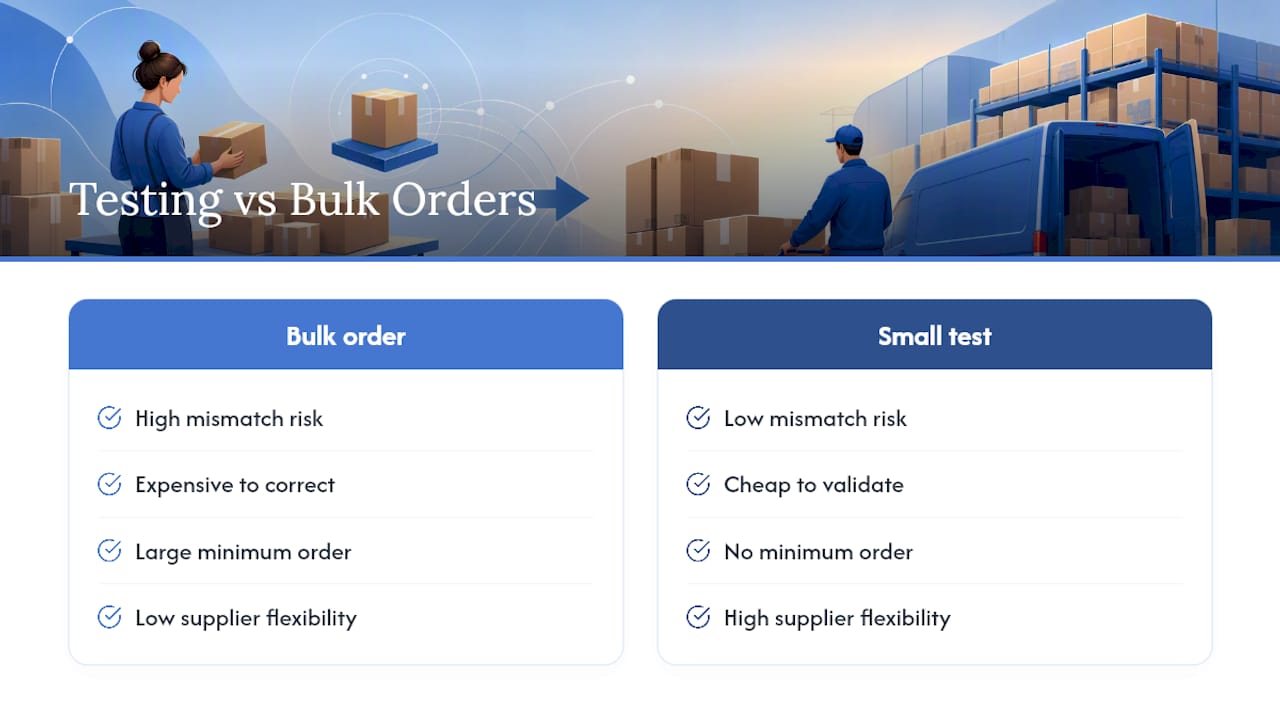
Most sizing mistakes get made at the ordering stage, not the printing stage. A business buys a thousand thermal labels in one width, only to discover their printer needs a different roll diameter or their adhesive doesn’t hold in cold storage. That’s an expensive way to learn a five-minute lesson.
Buying from a wholesaler with no minimum order quantity changes that risk entirely. You can order a small test batch, run the scan and adhesive checks described above, and only then commit to a full roll or box of sheets. Subliblanks supplies packaging materials, printers, and blanks on exactly that basis, letting small senders confirm compatibility before spending on volume.
— chris
Where to buy compatible label stock and printers
Once you know which format fits your workflow, sourcing the right stock shouldn’t be the hard part. Subliblanks is a straightforward way to buy small or large quantities without getting locked into a bulk order you haven’t tested yet, a real advantage over suppliers who demand you commit to a full case before you’ve confirmed a single label scans properly.
Subliblanks stocks 6×4 thermal rolls, A4 adhesive sheets, and printers, including Epson and Ricoh models, suited to professional label and sublimation workflows alike. When choosing stock, check the roll width against your printer’s specification and confirm the adhesive type matches how your parcels will travel, permanent for despatch, weather-resistant if items sit outdoors before collection. Browse the Epson and Ricoh printer range or head to the Subliblanks homepage to order a test batch and confirm your setup before committing to a full run.
Sources
- Click & Drop – guide to printing labels and despatching
- Buying & printing postage labels online
- Royal Mail tracked-returns address label specification (PDF)
- A complete guide to shipping label sizing (Avery)


