



How laser engraving transforms gifts: a maker's guide
Laser engraving personalises gifts by burning or vaporising the surface of a material to leave a permanent, high-contrast mark that neither fades nor peels. That single quality changes everything about how a gift is perceived. A name etched into a walnut cutting board carries a weight that a printed sticker never will. The mark is there for life.
For most gift projects, the decision is straightforward: choose laser engraving when permanence and precision matter, and when the recipient will use the item daily. For one-off keepsakes on wood, glass, leather, or acrylic, a desktop diode or CO2 machine handles the job well. For deep engraving on metal, high-volume batches, or complex photo work, a professional service or a commercial fibre laser is the better call.
Quick decision guide:
- DIY suits you if you are making fewer than 50 units, working with wood, acrylic, leather, or coated metals, and have time to test settings on scrap.
- Commission a pro for stainless steel, titanium, deep engraving, or any order where a failed proof costs more than the service fee.
- Subliblanks stocks xTool laser engraving machines and laser-engraveable blanks specifically for UK trade customers, with no minimum order quantity.
Key takeaways
Laser engraving adds permanent, high-contrast personalisation to gifts that neither fades nor peels, making it the strongest technique for keepsakes and daily-use items where longevity matters.
| Point | Details |
|---|---|
| Permanence drives perceived value | Engraved marks outlast printing, labels, and vinyl, which is why buyers pay a premium for personalised laser gifts. |
| Material choice determines technique | Wood, acrylic, and leather suit CO2 or diode lasers; bare metal requires a fibre laser or marking spray. |
| File prep is the biggest variable | Start with a clean vector or high-contrast greyscale image at 300 DPI minimum; poor input files produce poor results regardless of machine quality. |
| DIY vs commission depends on volume and material | Desktop machines handle most gift work well; commission for bare metal, deep engraving, or batches above 100 units. |
| Subliblanks supplies UK makers | xTool machines and laser-engraveable blanks with no minimum order quantity, available for trade customers across the UK. |
Table of Contents
- Why laser engraving adds real value to gifts
- Material-by-material guide: which gifts engrave best
- How to prepare artwork so your engraving comes out crisp
- DIY or professional service: how to choose
- What affects the cost of engraved gifts and how to estimate it
- Safety, ventilation, and UK compliance for makers
- Finishing, care, and presentation for engraved gifts
- UK trade suppliers and how makers can scale with Subliblanks
- Laser engraving techniques and how each one affects the finished gift
- Limitations and challenges you should know before you start
- What I have learned from using engraving for gifts
- Wholesale blanks and engraving supplies for UK makers
- Sources
Why laser engraving adds real value to gifts
The core appeal of laser engraving for gifts is permanence. Printed labels yellow, vinyl transfers lift at the edges, and ink fades with washing. Laser engraving is a non-contact process that removes material to leave permanent, precise marks, and those marks survive sterilisation, dishwashers, and decades of daily use. That durability is exactly why the technique is trusted in medical, aerospace, and electronics manufacturing for traceability marks that must never wear off.
For gifts, durability translates into emotional staying power. A wedding date engraved into a glass decanter will still be legible on a silver anniversary. That longevity is part of what buyers are paying for when they choose personalised laser gifts over a printed alternative.
Precision is the second major benefit. A laser beam operates at fractions of a millimetre, which means fine script, portrait photos, and intricate geometric patterns are all achievable on a single pass. That level of detail is simply not possible with hand engraving or screen printing at comparable speed. For makers producing multiples, such as a set of twelve matching groomsmen gifts, the repeatability is equally valuable: every piece comes out identical.
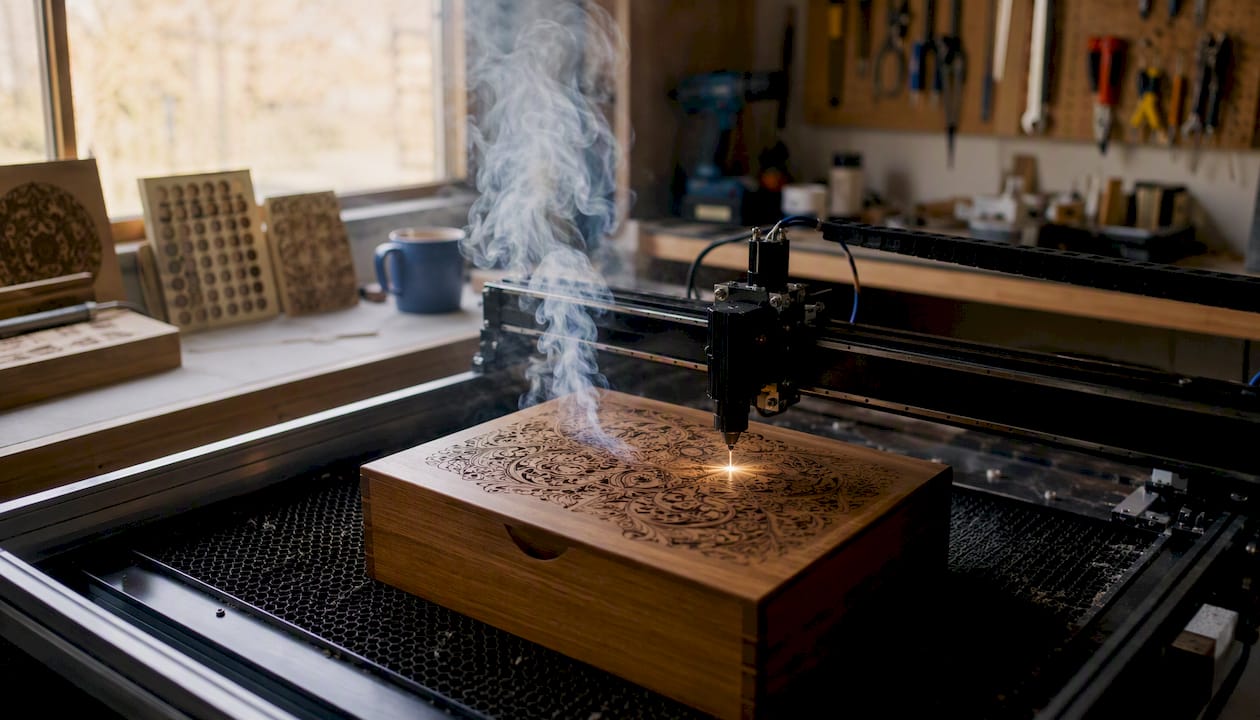
The occasions where engraving earns its keep most clearly are weddings, memorials, corporate executive gifts, and milestone birthdays. These are moments where the recipient keeps the item, displays it, and shows it to others. Engraving is preferred for traceability and branding because marks do not wear off like labels or ink, and that same logic applies to a gift: the personalisation is part of the object, not applied to it.
Material-by-material guide: which gifts engrave best
Material choice determines finish, contrast, and how the engraved gift holds up over time. A CO2 laser cuts through wood beautifully but barely marks bare stainless steel. A fibre laser does the opposite. Knowing which material suits which machine and occasion saves wasted blanks and disappointment.
Different materials respond differently to lasers, each producing distinctive contrast and finish: clear acrylic engraves with a bright white frosted effect, metals achieve sharp high-contrast marks, and wood produces a warm caramel-to-dark-brown burn depending on power settings.
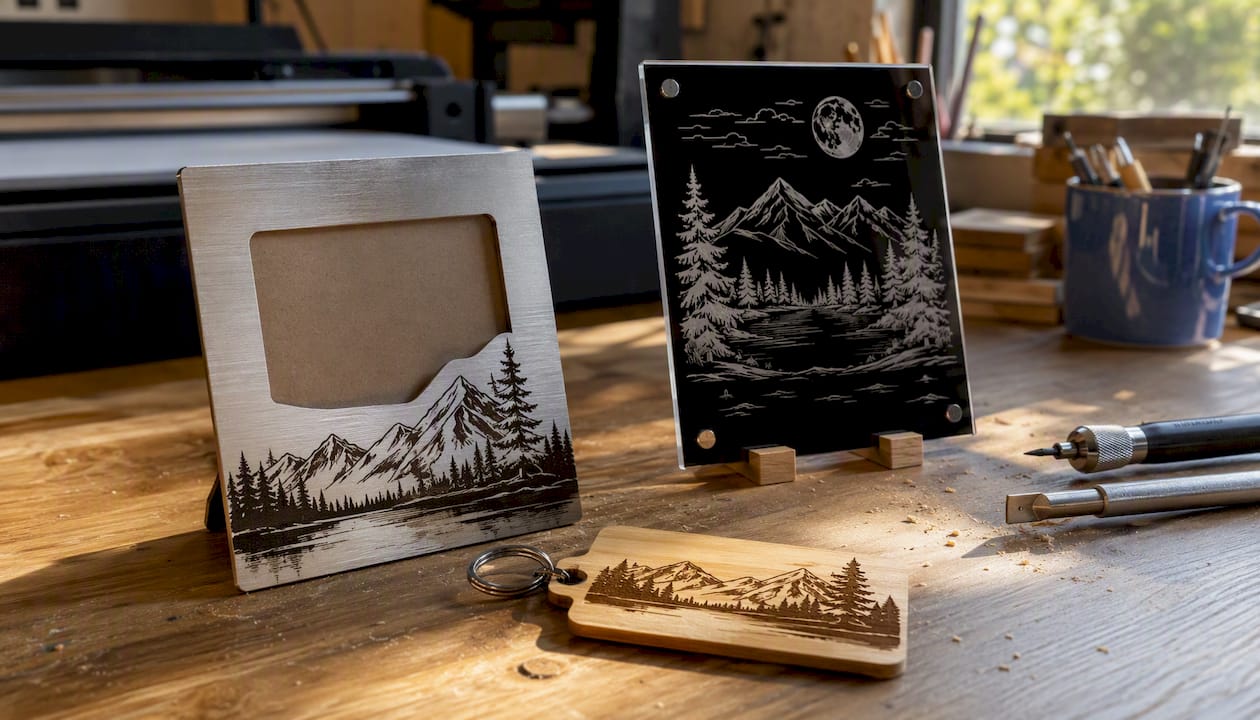
| Material | Typical gift | Why it works |
|---|---|---|
| Wood | Cutting boards, photo frames, keepsake boxes | Warm contrast, widely available as pre-finished blanks, suits CO2 lasers |
| Glass | Decanters, wine glasses, awards | Frosted white mark on clear glass; elegant for anniversaries and corporate gifts |
| Metal (anodised aluminium) | Keyrings, dog tags, flasks | Removes anodised coating to reveal bright aluminium; sharp, durable result |
| Leather | Wallets, journals, luggage tags | Rich dark burn; suits CO2 lasers; ages well with use |
| Acrylic | Plaques, ornaments, signage | Bright frosted white on clear; vibrant on coloured sheets; low material cost |
| Ceramics | Mugs, tiles, coasters | Surface etching creates a matte mark; best with a rotary attachment for round items |
| Stone (slate) | Coasters, plaques, garden markers | High contrast on dark slate; no finishing required; very durable outdoors |
Occasion matching: wooden cutting boards are the perennial wedding gift; engraved glass suits anniversaries and retirement presentations; anodised metal keyrings work for corporate events at volume; leather journals are popular for graduations. Laser engraving is widely used for awards, plaques, and personalised souvenirs, and supports colourable laserable materials for varied finishes, which means you can add colour fills to acrylic plaques for a premium look without a second production step.
Photo engraving deserves a specific note. Converting a photograph for engraving requires reducing it to a greyscale image and then applying a dithering or halftone algorithm so the laser can simulate tonal variation through dot density. Photo engraving workflows and software modes simplify converting images for engraving and support a wide range of materials. The best results come from high-contrast portraits with a clean background, engraved on light-coloured wood or anodised metal. Avoid low-resolution phone snapshots: the laser cannot invent detail that is not in the source file.
Sustainability note: wood, leather, and slate are long-lived materials that do not require replacement. Acrylic is petroleum-based and less recyclable, though its longevity as a display piece offsets some of that impact. Choosing FSC-certified wood blanks and natural stone where possible keeps the environmental footprint lower.
Pro Tip: Before engraving a full batch of ceramic mugs, run a test on a spare piece at three different power levels. Ceramics vary significantly by glaze type, and the correct setting for one manufacturer’s mug may scorch another’s.
How to prepare artwork so your engraving comes out crisp
The single most important step in file preparation is starting with a clean, high-contrast vector file for text and graphics, or a properly converted greyscale image for photos. Everything else is secondary. A blurry source file produces a blurry engraved result, and no amount of machine tuning fixes a bad input.
File format checklist:
- Vector formats (preferred for text and graphics): SVG, AI, DXF, PDF. These scale without quality loss and give the laser software clean paths to follow.
- Raster formats (for photos and textures): PNG or TIFF at a minimum of 300 DPI at the intended engraving size. JPEG introduces compression artefacts that show up as noise in the engraved mark.
- Avoid: low-resolution JPEGs, embedded fonts that have not been converted to outlines, and files with hairline strokes below 0.25 pt.
Design tips for sharp results:
- Use fonts with clear, open letterforms at small sizes. Thin serif fonts below 6 pt tend to fill in and become illegible after engraving.
- Set a minimum line thickness of 0.3 mm for engraved lines. Thinner lines may not engrave consistently, especially on textured materials.
- For halftone or photo engraving, use your laser software’s built-in dithering mode rather than pre-processing in Photoshop unless you know exactly what the machine expects. Laser engraving software and photo modes reduce the expertise barrier for makers converting photos to engravable formats.
- Convert all text to outlines before exporting. Missing fonts are a common cause of garbled output.
Pre-job checklist:
- Confirm file resolution or vector cleanliness.
- Convert all fonts to outlines or paths.
- Remove any hidden layers or objects outside the artboard.
- Set document units to match your laser software (usually mm).
- Run a framing pass (no power, just movement) to confirm the design fits the blank.
- Engrave a test piece at your intended settings before committing to the full batch.
The laser tends to compress tonal range, so starting with a punchier image compensates for that loss.*
DIY or professional service: how to choose
The honest answer is that most gift-makers start DIY and commission selectively as their product range grows. A desktop diode laser such as the xTool D1 Pro handles wood, leather, and coated metals well and costs a fraction of a commercial CO2 machine. For the majority of personalised gift work, that is enough.
Engraving differs from cutting by depth and focal-length requirements; choose the machine and lens based on whether you need surface marking or full cuts. That distinction matters practically: a 5W diode machine will engrave a leather wallet beautifully but will not deep-engrave stainless steel. A 60W CO2 machine handles wood and acrylic at speed but cannot mark bare metal without a marking spray. A fibre laser marks bare metal with precision but costs significantly more and is rarely justified for a small gift business.
| Factor | Home desktop machine | Commercial service |
|---|---|---|
| Upfront cost | Lower (entry-level diode from ~£200) | None (pay per job) |
| Material range | Wood, leather, acrylic, coated metals | All of the above plus bare metal, stone, glass at scale |
| Volume | Best for under 50 units per run | Cost-effective for 100+ units |
| Turnaround | Immediate (your schedule) | 3–10 working days typically |
| Photo engraving quality | Good with practice | Consistently high |
| Deep engraving on metal | Not suitable | Yes, with fibre laser |
| Finishing and packaging | Your responsibility | Often included |
Decision checklist:
- Volume above 100 units? Commission.
- Bare stainless steel, titanium, or brass? Commission (fibre laser required).
- Complex portrait photo on a premium gift? Commission for the first run; DIY once you have tested settings.
- Wood, acrylic, leather, one-offs? DIY with a desktop machine.
- Tight deadline (under 48 hours)? DIY wins on speed.
For makers choosing a machine, the Subliblanks guide to laser engraving tools for the UK market covers entry-level diode and CO2 options with practical buying advice. The practical guide to laser engraver machines goes deeper on technical specifications and which gift materials each machine type suits best.
Always request a proof or sample run from a commercial service before committing a full batch. A reputable service will provide a digital proof and, for high-value orders, a physical sample at cost.
What affects the cost of engraved gifts and how to estimate it
Pricing an engraved gift comes down to five variables: machine time, material cost, design or setup time, finishing, and packaging. A practical pricing model charges per minute of machine time plus material and setup, and that structure works whether you are quoting your own time or evaluating a supplier’s quote.
The five cost factors:
- Machine time: measured in minutes per piece. A simple name on a keyring might take 2 minutes; a full-surface photo on a cutting board might take 25 minutes.
- Material cost: the blank itself. A plain wooden cutting board blank costs £3–£8 depending on size and supplier.
- Design/setup time: amortised across the batch. A new design might take 30 minutes to prepare; a repeat order takes 5.
- Finishing: oiling wood, polishing metal, applying a colour fill to acrylic adds time and consumable cost.
- Packaging: gift boxes, tissue paper, and branded inserts add £1–£4 per unit at retail.
Worked example — single engraved cutting board:
A retail price of £35–£45 for a personalised cutting board is common in the UK market, giving a healthy margin. Personalised laser gifts show strong marketplace demand and attractive margins because material cost is low and perceived value is high.
Pro Tip: Batch identical designs together. Running ten cutting boards with the same layout back-to-back cuts setup time to near zero per unit and reduces the effective per-unit cost significantly. Using pre-finished laser engravable blanks removes the sanding and surface-prep step entirely.
Turnaround: for DIY, turnaround is your schedule. For commissioned work, expect 3–5 working days for standard orders and 7–10 for complex photo engraving or large batches. Christmas and Valentine’s Day create significant queue pressure with commercial services; place seasonal orders at least four weeks ahead.
Safety, ventilation, and UK compliance for makers
The most important safety rule in laser engraving is ventilation. Every laser engraver produces fumes and fine particulates when it vaporises material. Some of those fumes are merely unpleasant; others are genuinely dangerous. PVC and vinyl must never be engraved: they release hydrogen chloride gas, which is corrosive to lungs and to the machine itself. Treated or painted wood can release formaldehyde. Even engraving plain wood produces fine wood dust, which is a known respiratory hazard under UK COSHH regulations.
Safety checklist for a home or workshop setup:
- Install a dedicated fume extractor with an activated carbon filter, vented to the outside where possible.
- Never engrave PVC, vinyl, polycarbonate, or any material you cannot identify from a material safety data sheet (MSDS).
- Keep a dry powder or CO2 fire extinguisher within reach. Laser engravers can ignite thin materials if settings are wrong or if the machine is left unattended.
- Wear laser-appropriate safety glasses rated for your machine’s wavelength. Diode lasers (typically 450 nm blue) require different glasses than CO2 (10,600 nm infrared).
- Work in a well-lit space so you can monitor the engraving process without opening the enclosure.
- Keep the work area clear of flammable materials.
UK regulatory considerations: under the Control of Substances Hazardous to Health (COSHH) Regulations 2002, any business using a laser engraver must assess the risk from fumes and dust and put adequate controls in place. For home-based makers, this means at minimum a fume extractor and a written record of the materials you engrave.
Pro Tip: Before engraving any new substrate, search “[material name] MSDS” on the Health and Safety Executive’s website (hse.gov.uk) or the supplier’s product page. If no MSDS is available, do not engrave it. A compatible material list for your specific laser type is available in the Subliblanks guide to laser engravable materials.
Finishing, care, and presentation for engraved gifts
A well-engraved gift that arrives in a plain polythene bag feels cheap. Finishing and presentation are where the perceived value of personalised laser gifts is either confirmed or undermined.
Finishing by material:
- Wood: apply a food-safe mineral oil or beeswax finish after engraving. This darkens the engraved area slightly and protects the surface. For decorative items, a clear lacquer spray gives a cleaner look.
- Metal (anodised aluminium): wipe clean with a microfibre cloth. No sealing required; the mark is in the metal itself.
- Glass: no finishing needed. Polish with a lint-free cloth before packaging to remove fingerprints.
- Leather: a light application of leather conditioner after engraving keeps the material supple and prevents cracking around the engraved area.
- Acrylic: remove the protective film only after engraving. Polish with a plastic-safe cleaner to restore clarity to the surrounding surface.
Care instructions by material:
- Engraved wood: hand wash only, dry immediately, re-oil annually.
- Engraved glass: dishwasher safe in most cases, though the frosted mark may become less visible over many cycles.
- Engraved leather: keep away from prolonged moisture; condition every six months.
- Engraved metal: wipe clean; avoid abrasive cleaners that could scratch the surrounding surface.
Presentation checklist before dispatch:
- Check alignment: is the engraving centred and straight?
- Inspect for burn marks or scorch halos outside the engraved area.
- Remove all protective film from acrylic or metal blanks.
- Wrap in acid-free tissue before placing in a gift box.
- Include a small care card explaining the material and how to look after it. This adds a professional touch and reduces customer queries.
For makers building a product range, custom merchandise design guidance covers packaging and branding approaches that translate well to engraved gift presentation.
UK trade suppliers and how makers can scale with Subliblanks
Sourcing the right blanks is where many UK makers lose time and margin. Ordering from overseas suppliers introduces long lead times, inconsistent quality, and customs complications. A UK-based trade wholesaler with no minimum order quantity solves all three problems at once.
Subliblanks supplies xTool laser engraving machines and a comprehensive range of laser-engraveable blanks to trade customers across the UK, with no minimum order quantity. That last point matters for small makers: you can order five cutting board blanks to test a new design without committing to a pallet. Once a design proves itself, scaling up is a single reorder.
What to ask any supplier before ordering blanks for engraving:
- What laser type is this material compatible with (diode, CO2, fibre)?
- What are the material tolerances (thickness variation, surface finish consistency)?
- Is a material safety data sheet available?
- Are pre-finished or pre-coated variants available (saves surface prep time)?
- What is the lead time for repeat orders during peak season?
Pro Tip: Request a sample pack before placing a production order. Most reputable trade suppliers, including Subliblanks, can provide samples so you can test settings and confirm the finish before committing. Specify your laser type and wattage when requesting samples so the supplier can recommend the most compatible blank.
Supplier relationships also speed up seasonal fulfilment. A supplier who knows your regular order profile can flag stock shortages ahead of Christmas or Valentine’s Day, giving you time to adjust. Trade pricing, available once you have an account, typically reduces blank costs meaningfully compared with retail, which directly improves your margin on each engraved gift.
For a practical overview of which blanks suit which production workflows, the essential guide to laser engravable blanks for UK makers covers product selection in detail.
Laser engraving techniques and how each one affects the finished gift
Laser engraving is not a single process. The term covers several distinct techniques, each producing a different result on the gift surface.
Surface etching removes only the very top layer of a material, leaving a shallow mark with moderate contrast. It is fast and suits materials like glass, ceramic, and coated metals where deep penetration would crack or damage the substrate. The result is a frosted or matte mark against a glossy background.
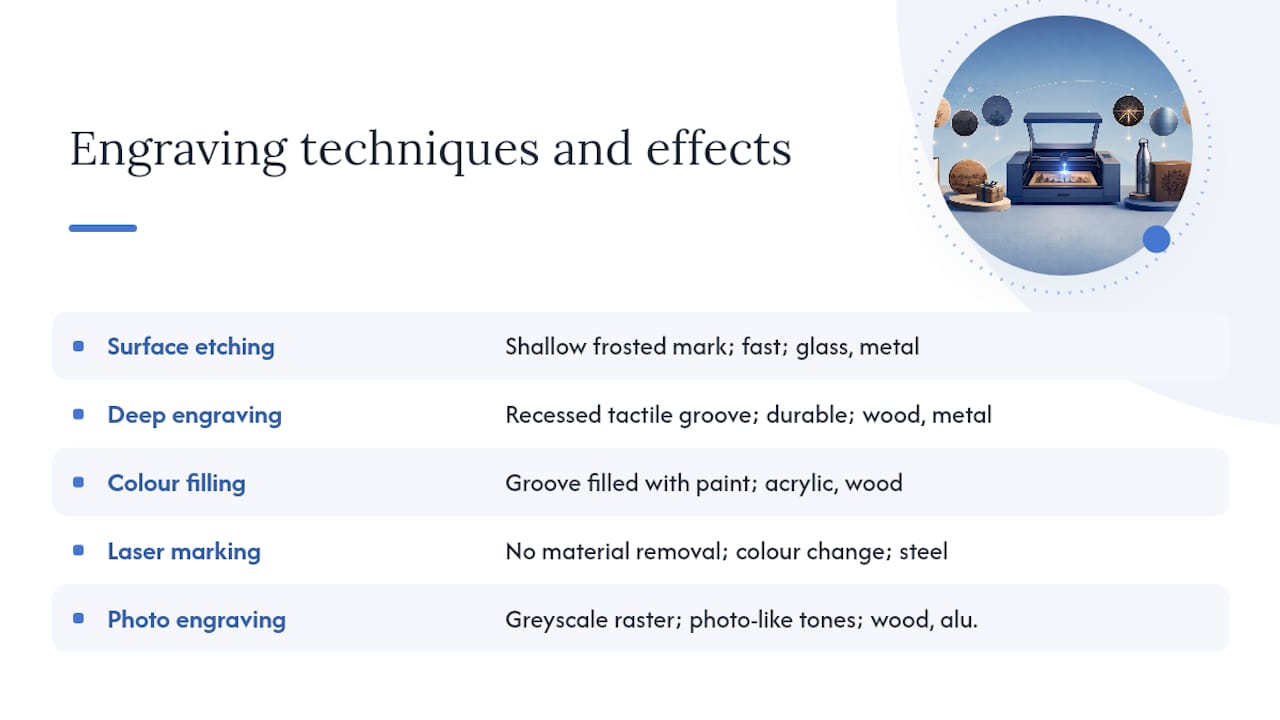
Deep engraving removes multiple passes of material to create a recessed channel. On wood, this produces a tactile groove you can feel with a fingertip, which adds a premium quality to keepsake items. On metal, deep engraving requires a fibre laser and significantly more machine time, but the result is a mark that survives heavy industrial use. For gifts, deep engraving on a hardwood chopping board or a brass plaque signals craftsmanship in a way that a surface etch does not.
Colour filling combines engraving with a secondary process: after the laser creates a recessed channel, paint or resin is pressed into the groove and the surface is sanded flush. The result is a crisp, coloured mark that sits level with the surrounding material. Acrylic plaques and wooden awards often use this technique to add brand colours or contrast. Laser engraving is widely used for awards, plaques, and personalised souvenirs and supports colourable laserable materials for varied finishes.
Laser marking (sometimes called laser annealing on metal) does not remove material at all. Instead, the laser heats the surface to create an oxidation reaction that changes colour. On stainless steel, this produces a dark, permanent mark without breaking the surface. It is the preferred technique for medical instruments and food-contact items where surface integrity matters.
Photo engraving (greyscale raster) uses variable laser power across thousands of tiny dots to simulate tonal variation. The laser essentially prints a photograph into the material surface. Results depend heavily on material choice and file preparation, but on light-coloured wood or anodised aluminium, the output can be striking. Laser engraving is a non-contact process that removes material to leave permanent, precise marks, and photo engraving pushes that precision to its limit.
Limitations and challenges you should know before you start
Laser engraving is not universally applicable, and understanding its limits saves wasted material, time, and frustration.
Curved and irregular surfaces are the most common practical challenge. A standard flat-bed laser cannot engrave the side of a cylindrical mug without a rotary attachment, and even with one, the focus distance changes as the surface curves, which can blur the edges of the design. Deeply curved or spherical objects, such as a round ornament, require specialist fixtures or a galvo laser head to maintain consistent focus.
Reflective bare metals (uncoated stainless steel, aluminium, copper, brass) reflect the beam of a CO2 laser rather than absorbing it. Engraving these materials requires either a fibre laser, a marking spray (such as Cermark or Brilliance), or an anodised or powder-coated surface that the CO2 beam can ablate. Attempting to engrave bare reflective metal with a CO2 machine risks damaging the lens.
Thin or delicate materials can warp, crack, or catch fire if settings are not dialled in carefully. Thin acrylic below 2 mm can melt rather than engrave cleanly. Paper and card require very low power and high speed to avoid ignition.
Colour limitations are inherent to the process. Standard laser engraving produces a single-colour mark determined by the material’s reaction to the beam. Achieving multi-colour results requires either colour-fill post-processing, multiple material layers, or laserable colour-change materials. You cannot engrave a full-colour photograph in the same way a printer produces one.
Material identification errors are a genuine safety risk. Engraving an unknown plastic can release toxic fumes. If a material is not positively identified from its MSDS, it should not go under the laser.
Finally, very fine detail at small scale has practical limits. Text below 4 pt and linework below 0.2 mm may not resolve cleanly, particularly on textured materials like natural wood grain, where the surface variation interferes with the beam’s path.
What I have learned from using engraving for gifts
The gap between a technically correct engraving and a gift that genuinely moves someone is almost always in the preparation, not the machine. Proofs save time. A five-minute test on a scrap piece of the same material, at the same settings, before running a batch of twenty, is the single habit that separates makers who have returns from those who do not.
My practical recommendation for most readers: start with wood and acrylic. Both materials are forgiving, widely available as pre-finished blanks, and produce results that look professional even on modest machines. Once you are confident with settings and file prep, move to leather and glass. Reserve metal for when you have a clear commercial reason, because the machine investment or service cost is only justified at volume.
For keepsakes and daily-use items, engraving is the right technique. For purely decorative gifts where colour and shape matter more than permanence, laser cutting or sublimation printing may serve you better. The two approaches are not mutually exclusive: a laser-cut acrylic ornament with an engraved personalisation combines both.
Wholesale blanks and engraving supplies for UK makers
Subliblanks is the trade wholesale route for UK makers who want to scale personalised engraved gifts without the friction of high minimum orders or long overseas lead times.
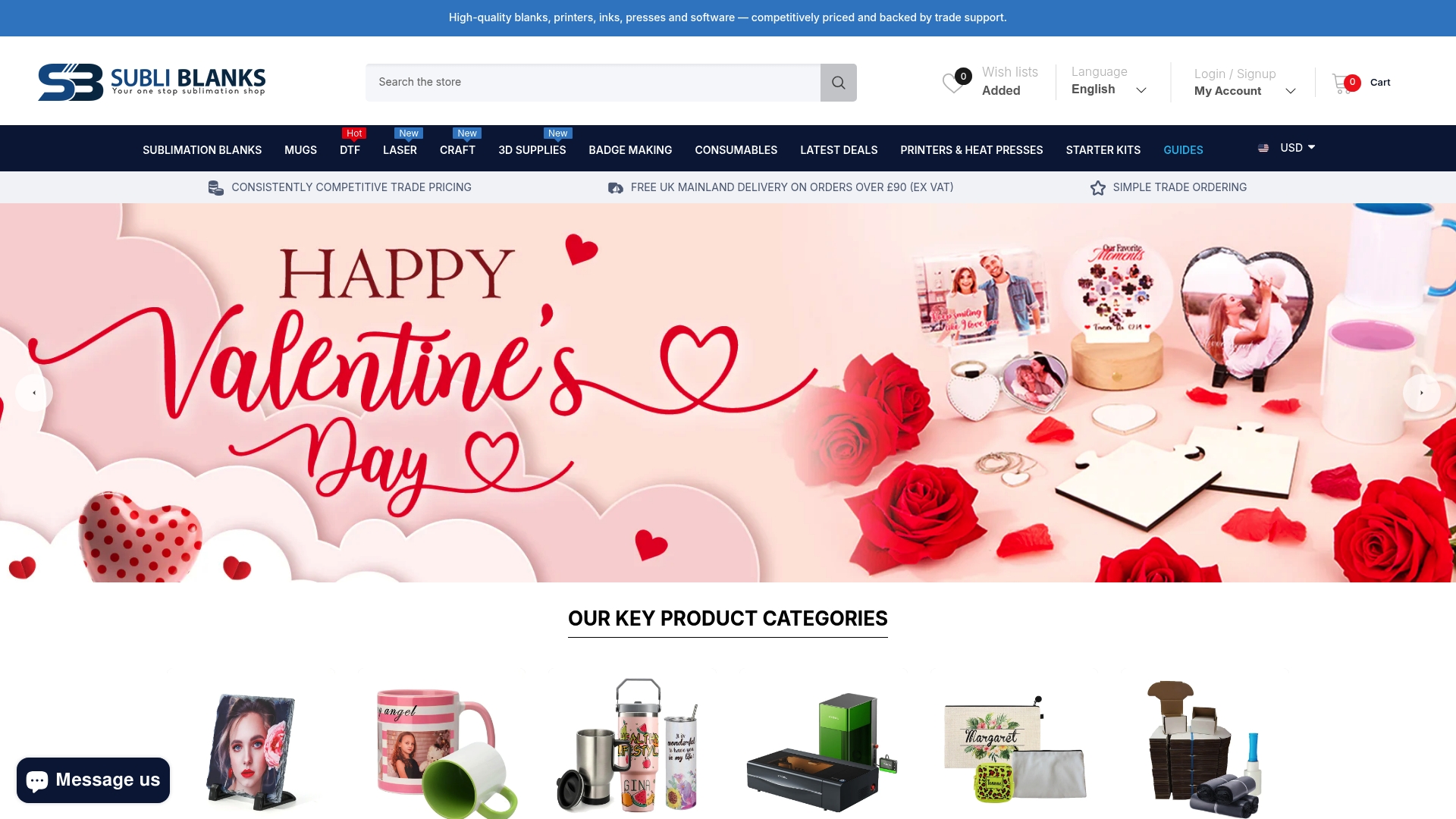
The range covers xTool laser engraving machines, a broad selection of laser-engraveable blanks across wood, acrylic, metal, leather, and ceramic, plus packaging supplies to finish orders professionally. No minimum order quantity means you can test a new blank type with a small run before committing to stock. When a design takes off, reordering is straightforward.
To get started, visit the Subliblanks wholesale supply page and browse the laser engraving range. When requesting samples, specify your laser type (diode, CO2, or fibre) and the intended application so the team can recommend the most compatible blank. For makers combining engraving with other personalisation methods, the site also covers sublimation and DTF supplies in one place.
Sources
The sources below are worth bookmarking whether you are starting out or scaling up. For material safety, the Health and Safety Executive’s COSHH guidance (hse.gov.uk/coshh) is the authoritative UK reference. When vetting a new substrate, search “[material name] MSDS” alongside “laser engraving” to find manufacturer safety sheets quickly.
For technical depth on how the engraving process works, the KEYENCE laser engraving resource and the Xometry comparison of cutting and engraving are reliable starting points. For pricing methodology, the OneLaser pricing guide provides a practical per-minute quoting framework.
For UK-specific blank sourcing and machine guidance, the Subliblanks blog covers:
- The laser engraving process: how does a laser engraver work? | KEYENCE
- Laser engraving for end-use parts | Hubs knowledge base
- Laser engraving — Wikipedia
- How to design and sell personalized gifts with a laser engraver | Craftgineer blog
For makers exploring multi-technique personalisation, merchandise customisation workflows for small businesses covers how engraving fits alongside printing and other decorating methods.
Suggested search terms for UK safety documentation:
Recommended
- Understanding laser engraver machines: a practical guide – SubliBlanks Ltd
- Laser engraving process guide for beginners and small businesses – SubliBlanks Ltd
- Why use laser engraving machines: a guide for UK small businesses – SubliBlanks Ltd
- Laser engravable blanks examples for UK makers – SubliBlanks Ltd


