



4 RIP categories to replace AcroRIP for DTF shops
For most DTF shops, the best route away from AcroRIP is a category decision rather than a single product swap: pick between a professional RIP engine, an OEM-bundled RIP, or a free/community build based on your printer engine and how much colour control you actually need. Expect a trade-off between licence cost and how quickly you get running. The sections below cover compatibility checks, licence models, and a practical test plan before you commit.
TL;DR:
- Compatibility with your specific printhead engine is crucial, and vendor support pages are the most reliable source for this information.
- Choose an alternative based on your shop’s volume and complexity, with free builds suited for tech-savvy shops and professional engines for high-volume, multi-head operations.
- Conduct a thorough three-step white ink test on your current and potential RIPs, checking for underbase density, registration, and color consistency after curing.
- License models significantly impact long-term costs and flexibility, with free trials and NFR options recommended for testing before commitment.
- Always download RIP software from official sources to avoid malware, unsupported builds, and licensing issues.
Table of Contents
- What are the best AcroRIP alternatives?
- Categories of AcroRIP alternatives and which one fits your shop
- How to test and tune a new RIP for reliable DTF output
- When to keep AcroRIP and when to switch
- Getting hands-on with an alternative DTF software workflow
- Where to check compatibility and licensing before you switch
- Sources
What are the best AcroRIP alternatives?
AcroRIP itself is still worth a look before you jump ship. The V11 relaunch expanded compatibility and introduced trial and NFR licensing aimed squarely at reducing the friction OEMs and resellers used to face when bundling the software. If your gripe with AcroRIP is licensing hassle rather than the software itself, that update may solve the problem without you touching another platform.
That said, “acrorip alternatives” as a search term covers genuinely different tools, not just AcroRIP with a different logo. The standard industry term for this software category is RIP (Raster Image Processor), and every option below falls into one of four RIP types: free/community mods, OEM-bundled RIPs, professional RIP engines, or cloud-based workflow platforms. Choosing between them isn’t about brand loyalty. It’s about matching the tool to your printer engine, your volume, and how much time you’re willing to spend tuning colour.
Start with compatibility, not features
Before comparing feature lists, confirm what printhead engine you’re actually running. AcroRIP’s own documentation is explicit about this: its V11 edition supports a wide range of Epson-based engines including DX7, I1600, and I3200 printheads, but older versions and rival RIPs don’t all support the same list. A RIP that works beautifully on a DX5 engine can behave erratically on an I3200 engine, and vice versa. Vendor compatibility pages, not marketing copy or forum threads, are the only reliable place to check this.
Pro Tip: Don’t take a printer model name at face value. Two machines with the same model number can ship with different printhead engines depending on when they were manufactured. Check the printhead spec sheet, not just the box.
Here’s what actually separates one alternative from another once compatibility is confirmed:
- White ink control – how finely you can adjust underbase density, choke, and multi-pass layering for opacity on dark garments.
- ICC and colour profile support – whether the RIP accepts third-party profiles or locks you into its own closed system.
- Workflow automation – nesting, gang-sheet building, and batch printing versus manual file-by-file setup.
- Licence model – dongle-based, digital activation, subscription, or a one-off purchase.
- Update and support policy – whether new printer engines get added over time or the software stagnates after purchase.
Licence models deserve particular attention because they shape your costs years down the line, not just on day one. A dongle-locked licence ties the software to a physical USB key, which is annoying if it breaks or gets lost but at least isn’t tied to a subscription. Digital licences are more flexible but can vanish if a vendor discontinues activation servers. NFR (not-for-resale) and trial versions, the kind AcroRIP now offers more openly, let you test real output before paying anything, which is the smartest way to avoid buyer’s remorse.
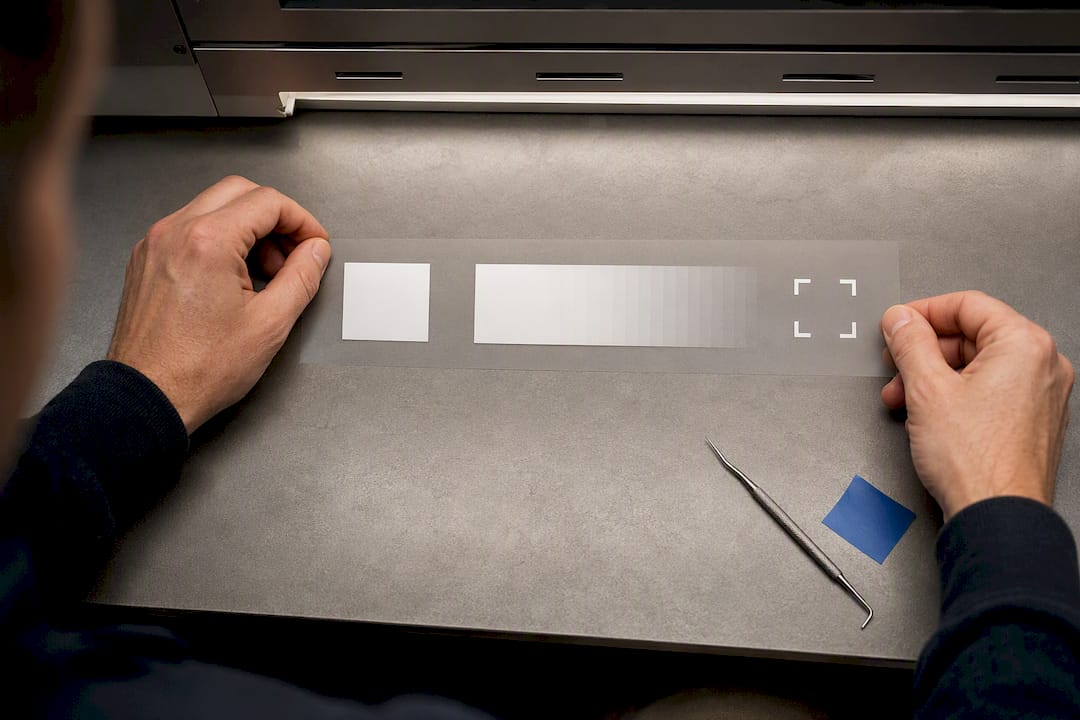
Run a proper trial before switching, using a short, repeatable test file rather than a random print. A useful three-step file covers a solid white block at full coverage to check opacity, a graduated white ramp to catch dot gain, and registration marks to confirm multi-pass alignment. Print it, cure it, then inspect the results again post-cure, because heat can expose banding or colour shift that looked fine straight off the printer. If a RIP passes that test on your actual printer and film, it’s earned a longer trial run on live orders.
Categories of AcroRIP alternatives and which one fits your shop
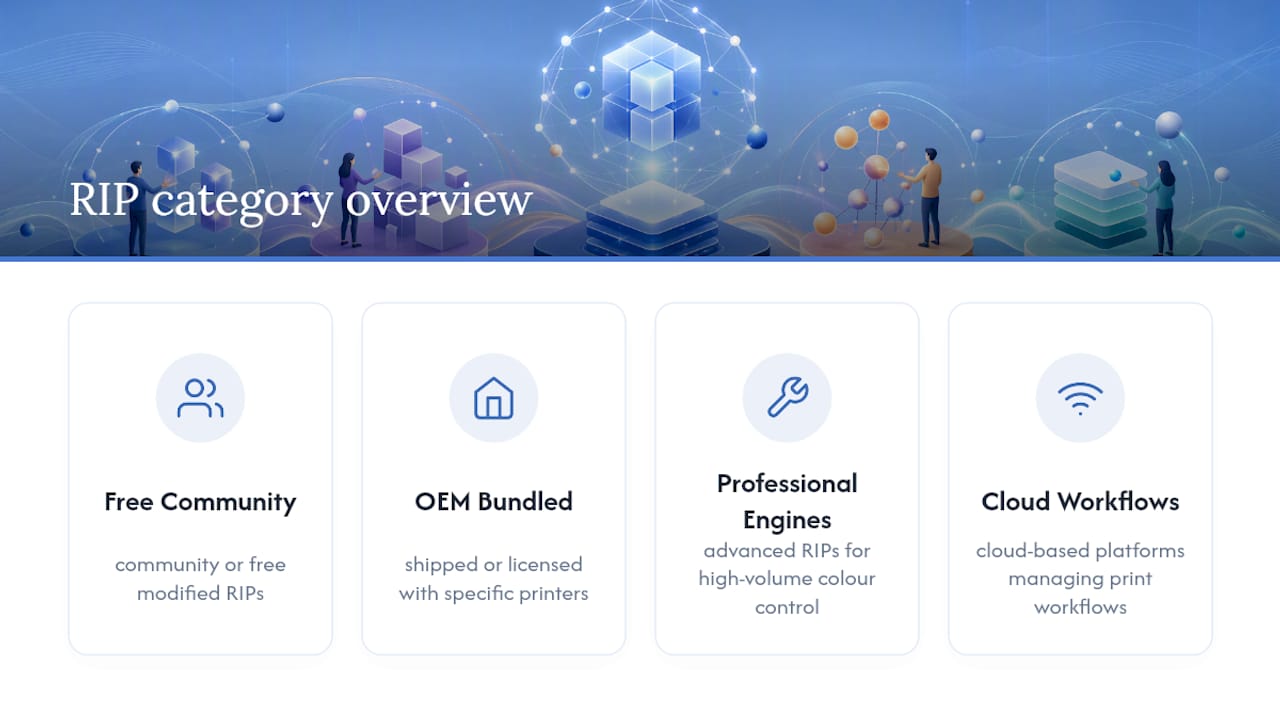
Rather than comparing individual products, it helps to think in tiers. Every RIP on the market for DTF work falls into one of four categories, and each one suits a different kind of shop.
- Free or community-maintained builds. These include modified open-source RIPs and free editions bundled by printer manufacturers. They cost nothing upfront, but they demand manual configuration: importing ICC profiles by hand, tuning underbase settings through trial and error, and troubleshooting without a support line. Free options exist and can work, but they’re best suited to a shop with a technically confident operator and enough spare time to get the setup right before it hits production.
- OEM-bundled or entry-grade RIPs. These ship with the printer itself or as a low-cost add-on from the hardware vendor. Onboarding is fast because the defaults are usually tuned for that specific printer, but advanced colour control tends to be limited. This is the pragmatic choice for a shop running one or two machines that just wants reliable output without deep customisation.
- Professional RIP engines. Built for shops running multiple printheads or handling varied substrates, these offer granular white ink control, robust ICC support, and workflow automation like batch nesting. The cost is higher and the learning curve steeper, but for a shop printing hundreds of sheets a week, the time saved on manual tuning usually pays for the licence within months.
- Cloud or workflow-integrated platforms. These reduce local software installs by centralising updates and file processing online, typically through a subscription. Fewer things to install on individual workstations means fewer version-mismatch headaches across a team, but you’re dependent on internet reliability and ongoing subscription costs rather than a one-off purchase.
Multi-head or wide-format printing changes the calculus further. A single-head desktop setup can often get away with an entry-grade RIP because there’s only one white ink channel to manage. Add a second head, or move to wide-format film, and the software needs to coordinate multi-pass layering and registration across a bigger canvas, where a mismatch of even a few pixels shows up as a visible ghost image on the final transfer. That’s where professional engines and their more granular pass control earn their higher price tag.
A few things to weigh against your own volume before you pick a category:
- Free builds save money now but cost time later, especially during onboarding and whenever your printer firmware updates and breaks a previously-working profile.
- OEM RIPs are the fastest to get running but the first to hit a ceiling once you need finer white ink adjustment or support for a second printer brand.
- Professional engines have the steepest learning curve but scale best if you’re adding printheads or SKUs.
- Cloud platforms suit distributed teams but add a recurring cost line that free and OEM options don’t carry.
Shops moving from AcroRIP tend to gravitate toward whichever category matches the reason they’re switching. If it’s cost, a free build makes sense on a single simple printer. If it’s colour precision at volume, a professional engine is worth the investment. Multi-printer operations increasingly look at how sublimation and DTF workflows overlap before deciding whether one RIP can realistically serve both processes.
How to test and tune a new RIP for reliable DTF output
Switching RIPs is a hardware-adjacent decision as much as a software one, so treat it with the same rigour you’d give a new printer. A short checklist keeps the evaluation honest instead of judging a new tool on a single lucky print.
- Confirm the driver installs cleanly and recognises your printhead engine before importing any files.
- Print a known test file (colour patches plus a high-opacity white block) rather than a live customer order.
- Import your existing ICC profile first; only build a new one if colour output is clearly off.
- Tune underbase density in small increments, checking for streaking after each adjustment.
- Evaluate the print again after curing, since heat reveals problems that aren’t visible straight off the printer.
Most of the complaints levelled at free or DIY RIP setups trace back to two issues: banding and streaking in white ink, and registration drift on multi-pass prints. Banding usually points to a driver or resolution mismatch rather than the ink itself, so check your DPI setting before touching hardware. White ink streaks often come down to an underbase density set too low for the film stock in use, or nozzles that need a clean before a long run. Registration drift on multi-pass jobs is almost always a mechanical alignment issue that software tuning alone won’t fix. It needs a physical calibration check on the printer.
Pro Tip: Keep a logbook of every test print with the settings used and the result. When a RIP update or firmware change causes a new problem, that log is the fastest way to spot exactly what changed.
Daily maintenance matters just as much as initial setup. A quick daily check of white ink flow and nozzle condition, covered in more detail here, prevents the kind of slow-creeping quality drop that gets blamed on the RIP when it’s actually a hardware maintenance gap. If you’re still building out your understanding of the wider DTF process, this guide to direct-to-film printing covers the fundamentals worth knowing before you start swapping software.
Before running any trial, it’s worth stating the obvious: only ever download RIP software from the official vendor site. Pirated copies of AcroRIP and similar tools carry real risk, including malware, no access to updates, and unstable behaviour that’s nearly impossible to diagnose because you’re not running a supported build. A free trial from a legitimate vendor costs nothing and carries none of that risk.
When to keep AcroRIP and when to switch
AcroRIP remains the sensible choice for a shop running a straightforward Epson setup with modest colour demands and a tight budget. The V11 relaunch’s trial and NFR options make it easier to confirm the software still fits before renewing, and for a single-printer operation without complex profile needs, ripping everything out to chase a marginally better feature set rarely pays for itself.
The calculation changes for shops running multiple printheads, chasing tight colour consistency across large runs, or wanting automated nesting to cut manual file prep. That’s where a professional RIP engine or a workflow-integrated platform starts earning its higher price tag through time saved rather than features on a spec sheet.
If you’re unsure which camp you’re in, run the three-step white ink test on your current setup and one alternative in parallel for a week. The results, not the marketing copy, should make the decision for you.
— chris
Getting hands-on with an alternative DTF software workflow
If you’re testing an alternative to AcroRIP, the practical bottleneck usually isn’t the RIP itself. It’s having reliable film, ink, and printer hardware to run the trial on in the first place. There are suppliers of sublimation and DTF printers, ink, and film that can make that kind of side-by-side test possible without waiting weeks on backordered stock, sometimes offering no minimum order quantity for small batches to run your first comparison print.

For shops building or rebuilding a print workflow around new software, SubliRip is worth a look as a design and print software option that pairs with the hardware side of the switch. If you’re also weighing up printer hardware alongside the RIP decision, the range of Epson and Ricoh sublimation printers gives you a sense of what’s compatible before you commit to a bundle. Head to the Subliblanks trade store to check current stock, or get in touch with the trade sales team for bundled pricing on printers, film, and supplies to run your own test batch this week.
Where to check compatibility and licensing before you switch
Official vendor pages remain the most reliable source for printer compatibility and warnings against pirated software, and product listings such as ACRORIP 11.3 on Filljet show typical desktop versus wide-format edition breakdowns. For a broader view of how alternatives stack up by category, the RIP software roundup from Gang Sheet Builder is a useful starting point, alongside Subliblanks’ own guide to essential DTF supplies for sourcing sample stock to test with.
Sources
- ACRORIP® launches revamped V11 editions - World Imaging News
- AcroRIP features — ACRORIP
- Best RIP software options for DTF printing - Gang Sheet Builder


